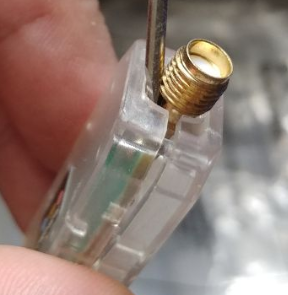
TIP: You can insert a screwdriver near the antenna to make it easier to disassemble the case.
#### [](https://smlight.tech/support/manuals/uploads/images/gallery/2025-09/BWfimage.png) [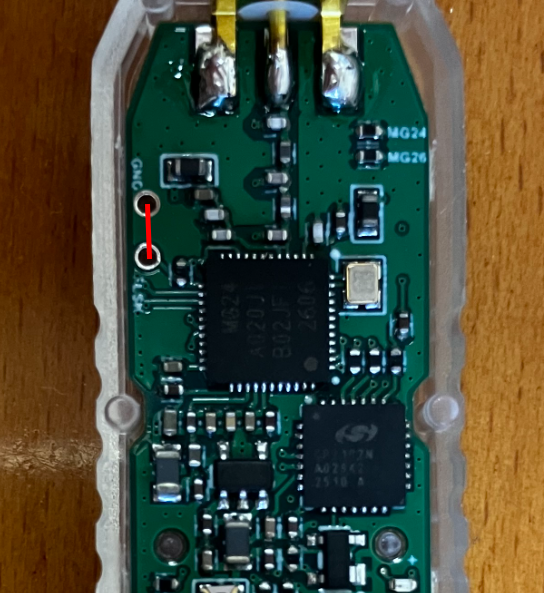](https://smlight.tech/support/manuals/uploads/images/gallery/2026-10/image.png) #### SLZB-07pX: - Go to [https://smlight.tech/flasher/](https://smlight.tech/flasher/) - Press **Update SLZB-07pX Firmware** button - Select SLZB-07pX dongle serial port - Wait for connection - Select firmware (Coordinator/Router/Thread) - Flash firmware **If you get error:** [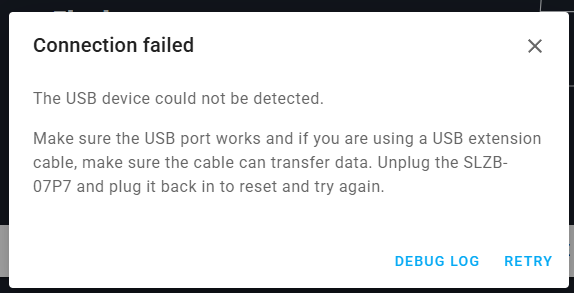](https://smlight.tech/support/manuals/uploads/images/gallery/2025-10/ZEkimage.png) - Refrash page - Click on **Update SLZB-07pX Firmware** button again ### Update using third-party tools #### Flashing via Home Assistant addons **SLZB-07/MGx**; [https://github.com/home-assistant/addons/tree/master/silabs\_flasher](https://github.com/home-assistant/addons/tree/master/silabs_flasher) Example config: [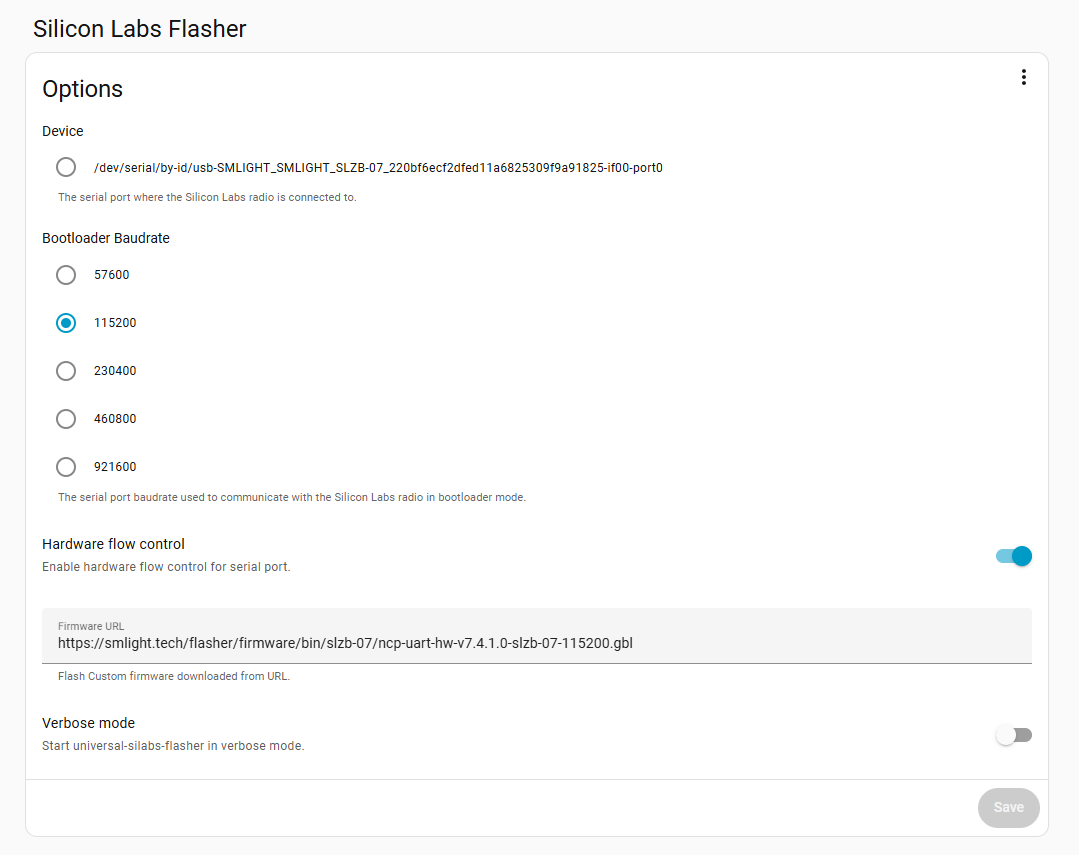](https://smlight.tech/support/manuals/uploads/images/gallery/2025-09/Dnoimage.png) **SLZB-07Px**: [https://github.com/tube0013/tubeszb\_addons/tree/main/tzb-cc2652-flasher/](https://github.com/tube0013/tubeszb_addons/tree/main/tzb-cc2652-flasher/) Example configuration: [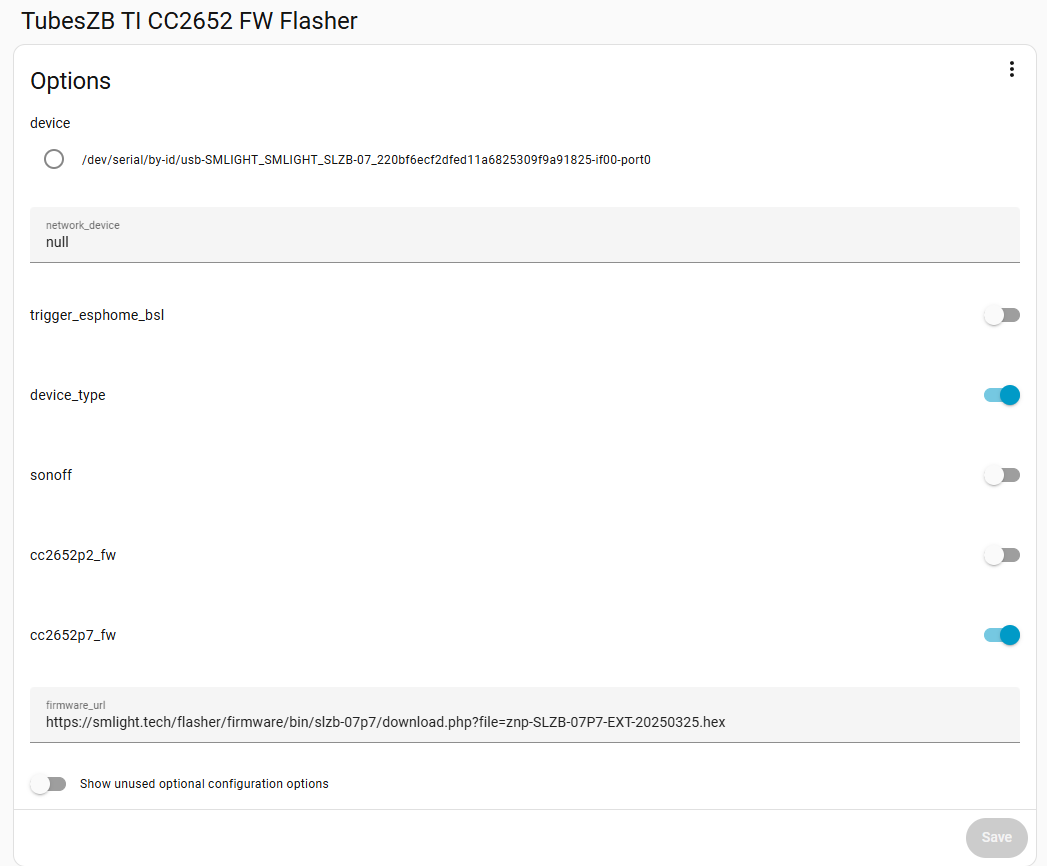](https://smlight.tech/support/manuals/uploads/images/gallery/2025-09/snhimage.png) ### Community firmware #### SLZB-07/MGx - [https://github.com/darkxst/silabs-firmware-builder/tree/main/firmware\_builds](https://github.com/darkxst/silabs-firmware-builder/tree/main/firmware_builds) - [https://github.com/Nerivec/silabs-firmware-builder/releases](https://github.com/Nerivec/silabs-firmware-builder/releases) #### SLZB-07P7 - [https://github.com/Koenkk/Z-Stack-firmware/releases](https://github.com/Koenkk/Z-Stack-firmware/releases)Please use **CC1352P7\_coordinator\_\*** firmware for SLZB-07P7! **Incorrect firmware can brick your device!**
#### SLZB-07P10Sorry, there is no community firmware at this time.