# SLZB-OS API endpoints

## General information

The SLZB-OS operating system has several API channels: HTTP, SSE and MQTT.

<p class="callout warning">When using any of these channels, it is **not recommended to send more than one request per second.** A large number of requests per second **can slow down** the coordinator and **negatively affect stability**.</p>

## HTTP API

- Used by the device's web interface.
- Processed by the built-in web server.
- Single-threaded, all requests are processed in turn
- **NO HTTPS SUPPORT! (And it is not planned)**

### Web-interface API endpoints

<p class="callout warning">Not documented and may change without notice. The primary purpose is for internal use by the web interface system!</p>

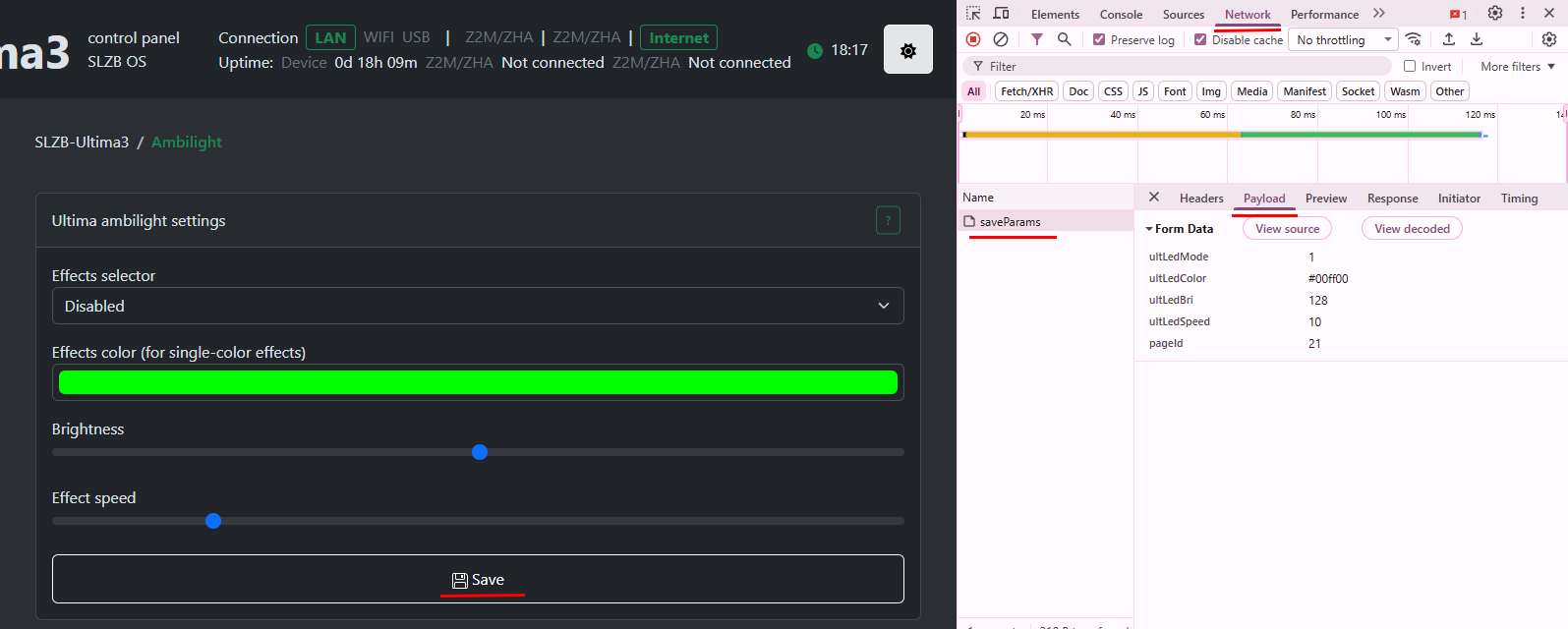
You can find all the queries in the developer tools in your browser:

[![image.png](https://smlight.tech/support/manuals/uploads/images/gallery/2026-02/scaled-1680-/image.png)](https://smlight.tech/support/manuals/uploads/images/gallery/2026-02/image.png)
### Prometheus metrics

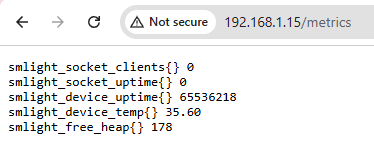
Endpoint: `/metrics`

[![image.png](https://smlight.tech/support/manuals/uploads/images/gallery/2026-02/scaled-1680-/8toimage.png)](https://smlight.tech/support/manuals/uploads/images/gallery/2026-02/8toimage.png)
### SSE

[https://en.wikipedia.org/wiki/Server-sent\_events](https://en.wikipedia.org/wiki/Server-sent_events)

[![image.png](https://smlight.tech/support/manuals/uploads/images/gallery/2026-02/scaled-1680-/I5Uimage.png)](https://smlight.tech/support/manuals/uploads/images/gallery/2026-02/I5Uimage.png)
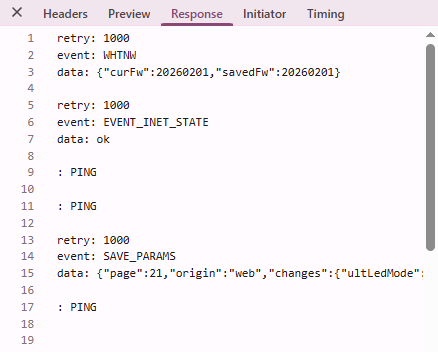
Endpoint: `/events`

### Home Assistant endpoints

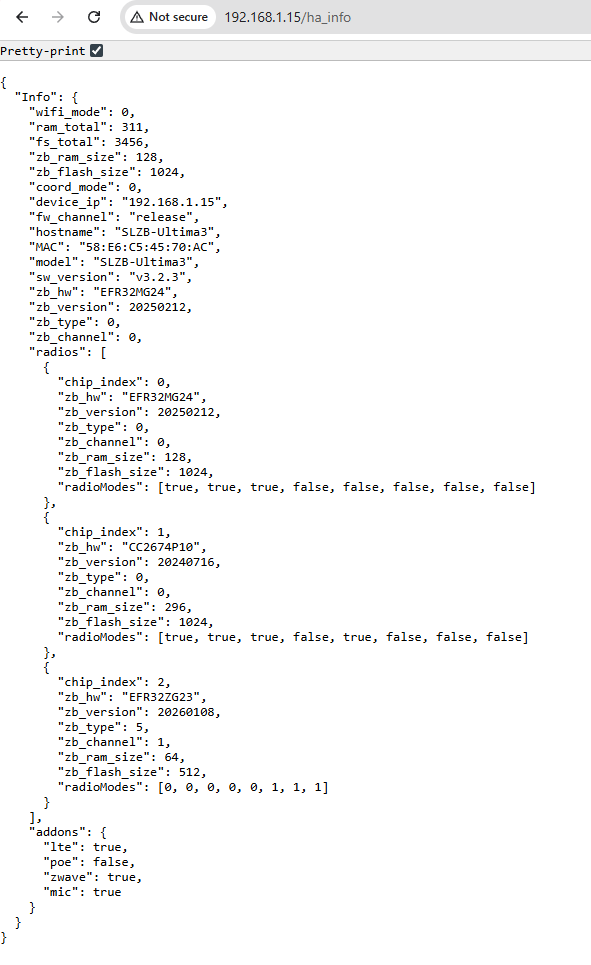
General device information: `/ha_info`

[![image.png](https://smlight.tech/support/manuals/uploads/images/gallery/2026-02/scaled-1680-/mVfimage.png)](https://smlight.tech/support/manuals/uploads/images/gallery/2026-02/mVfimage.png)
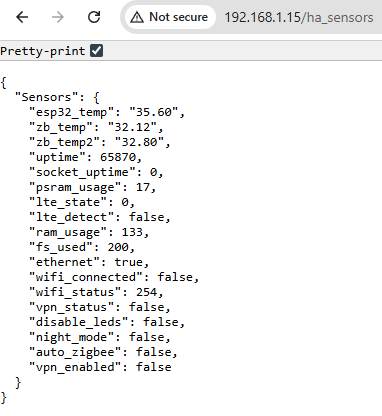
Real time sensors: `/ha_sensors`

[![image.png](https://smlight.tech/support/manuals/uploads/images/gallery/2026-02/scaled-1680-/uHQimage.png)](https://smlight.tech/support/manuals/uploads/images/gallery/2026-02/uHQimage.png)
## MQTT API

<p class="callout info">This API is available from firmware **v3.2.4**</p>

<p class="callout info">zHub MQTT API can be found here: [https://smlight.tech/support/manuals/books/slzb-os/page/mqtt-api](https://smlight.tech/support/manuals/books/slzb-os/page/mqtt-api)</p>

<p class="callout warning">**ATTENTION! Some topics are reserved by the system!  
`/api2/#` topic is reserved for MQTT API usage.  
`/cmd/#`, `/write/#`, `/read/#` and `/data/#` topics are used by HA discovery for Zigbee Hub.  
Please avoid using these topics.**</p>

### SLZB-Ultima specific

<p class="callout info">Ultima has a special API for interacting with IR, Ambilight, Buzzer, etc. Other models don't have this!</p>

#### Buzzer Control

Buzzer control topic: `<Base topic>/api2/write/buzzer`

Payload: RTTTL sound pattern

Example: `Arkanoid:d=4,o=5,b=140:8g6,16p,16g.6,2a#6,32p,8a6,8g6,8f6,8a6,2g6`

#### IR Learn &amp; Replay

##### IR Learn

Topic: `<Base topic>/api2/status/ir`

The OS will send information about all received IR messages to this topic.  
Example message below:

```json
{
  "raw": "472209080a190909090809080a08090809090908090909080a070a08091a090809080a0809080a080908090909080a0809190a0809080909090809080a0809080a08091a0908091a0a19091a09190a080908091a0a0809190a190a19091a09080a190a",
  "proto": 11,
  "addr": "0x0008",
  "cmd": "0x003d"
}
```

"proto" field values:

```
UNKNOWN = 0,
PULSE_WIDTH = 1,
PULSE_DISTANCE = 2,
APPLE = 3,
DENON = 4,
JVC = 5,
LG = 6,
LG2 = 7,
NEC = 8,
NEC2 = 9,
ONKYO = 10,
PANASONIC = 11,
KASEIKYO = 12,
KASEIKYO_DENON = 13,
KASEIKYO_SHARP = 14,
KASEIKYO_JVC = 15,
KASEIKYO_MITSUBISHI = 16,
RC5 = 17,
RC6 = 18,
RC6A = 19,
SAMSUNG = 20,
SAMSUNGLG = 21,
SAMSUNG48 = 22,
SHARP = 23,
SONY = 24,
BANG_OLUFSEN = 25,
BOSEWAVE = 26,
LEGO_PF = 27,
MAGIQUEST = 28,
WHYNTER = 29,
FAST = 30,
OTHER = 31,
```

##### Replay

Topic: `<Base topic>/api2/write/ir`

Raw payload example:

```
472209080a190909090809080a08090809090908090909080a070a08091a090809080a0809080a080908090909080a0809190a0809080909090809080a0809080a08091a0908091a0a19091a09190a080908091a0a0809190a190a19091a09080a190a
```

<p class="callout info">Starting from SLZB-OS v3.3.0 you can use JSON payload below:</p>

Json payload examples:

```json
{
  "proto": 11,
  "addr": "0x0008",
  "cmd": "0x003d",
  "repeats": 5
}
```

```json
{
  "proto": 11,
  "addr": 8,
  "cmd": 61,
  "repeats": 5
}
```

```json
{"raw":"472209080a190909090809080a08090809090908090909080a070a08091a090809080a0809080a080908090909080a0809190a0809080909090809080a0809080a08091a0908091a0a19091a09190a080908091a0a0809190a190a19091a09080a190a"}
```

#### Ambilight

Topic: `<Base topic>/api2/write/ambilight`

Payload example:

```json
{"color":"#00ff00","bri":128,"effect":2,"speed":10}
```

If you only need to change one ambilight parameter then you can send only that one:

```json
{"color":"#ffff00"}
```

`color` - LEDs color in #RRGGBB hex format.  
`bri` - Brightness from 1 to 255  
`effect` - effect to be installed. You can choose between: 0 - Solid, 1 - LEDs disabled, 2 - Blur, 3 - Rainbow.  
`speed` - speed for this effect. Range: 1 - 50