VPN
9. VPN (WireGuard)
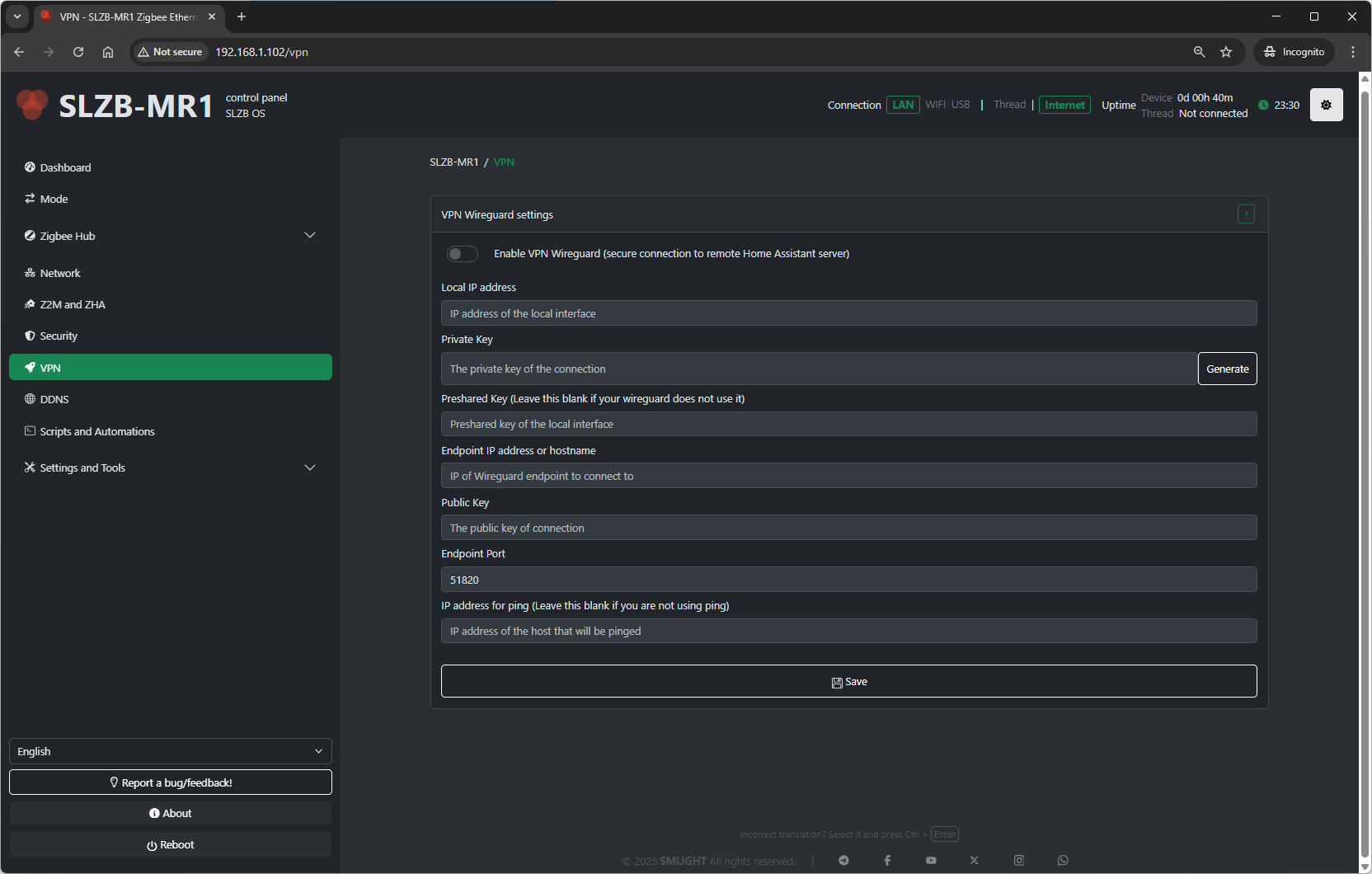
The VPN page in SLZB-OS contains a WireGuard settings helper, allowing the Zigbee coordinator to securely connect to your Home Assistant server or other remote endpoint.
9.1 WireGuard Overview
WireGuard is a modern, highly secure VPN protocol. In SLZB-OS, it:
-
Establishes an encrypted link between your coordinator and a remote server (e.g., Home Assistant).
-
Protects data in transit across the internet or local networks.
-
Provides privacy and prevents unauthorized access.
Note: You must have the WireGuard add-on installed and configured on your Home Assistant or other VPN server.
9.2 How WireGuard Works for Home Assistant
When configured:
-
Your coordinator connects to the WireGuard server.
-
All Zigbee and management traffic is securely tunneled through this encrypted channel.
-
The remote server sees the coordinator as if it were on the same local network.
This is useful when:
-
Your coordinator is in a different physical location than the server.
-
You want to expose the coordinator to Home Assistant without opening public ports.
9.3 WireGuard Settings
The page provides the following editable fields:
-
Local IP Address
IP address of the coordinator inside the VPN network. -
Private Key
Secret key unique to the coordinator. Keep it confidential. -
Public Key
Coordinator’s public key (share with the WireGuard server so it can authenticate your device). -
Peer Public Key
The public key of the VPN server or peer you will connect to. -
Endpoint
IP address or domain name of the VPN server, plus port (e.g.,vpn.example.com:51820). -
Allowed IPs
Specifies which IP ranges are routed through the VPN tunnel (e.g.,0.0.0.0/0to route all traffic). -
Persistent Keepalive
Interval in seconds to send keepalive packets and maintain connection (useful behind NAT).
9.4 Save & Connect
-
After filling all fields, click Save to store settings.
-
The VPN will attempt connection automatically using the provided details.
9.5 Security Recommendations
-
Use a strong Private/Public key pair generated for the device only.
-
Limit Allowed IPs to the networks actually needed for Zigbee control.
-
Keep Persistent Keepalive enabled if the device is behind NAT or in networks with aggressive idle timeouts.