433 MHz add-on.
Learn. Replay. Automate.
A click-in 433 MHz transceiver that gives the SLZB-Ultima one more radio protocol, beside Zigbee, Thread and Z-Wave. Gate and garage remotes, wireless sockets, doorbells, blinds and sensors on 433 MHz: learn a command from the hub’s own web page, save it under a name, and send it back from Home Assistant over MQTT, from a simple HTTP call or from a script on the hub. No extra bridge, no USB stick, no cloud.TI CC1101 · 433 MHz · Learn & replay · Web UI · MQTT · HTTP · Scripting · Antenna and pigtail in the box
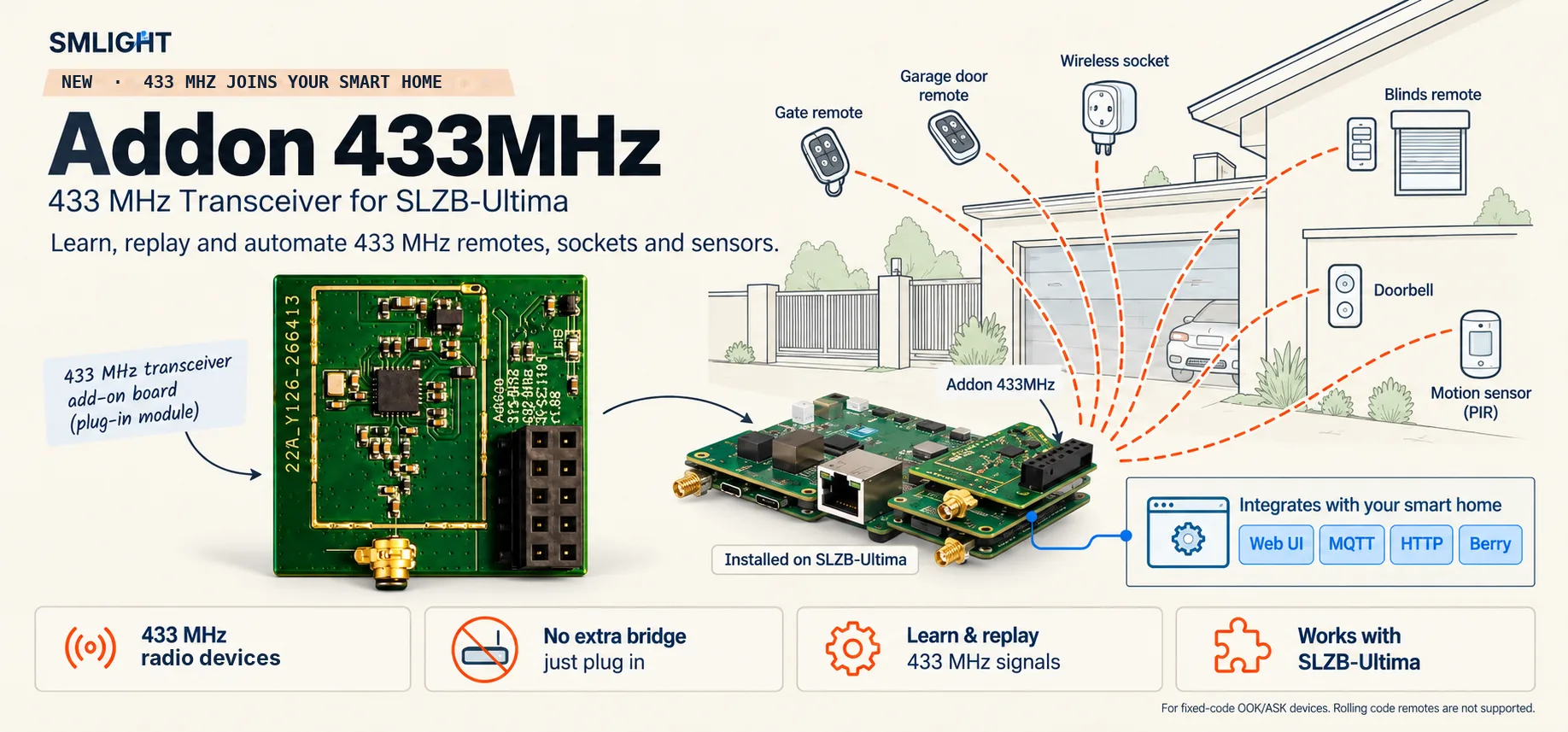
What it does.
433 MHz is one of the most widely used radio bands in the home: gate and garage remotes, wireless sockets, doorbells, blinds, weather stations, motion and door sensors all talk on it. The 433 MHz add-on gives the SLZB-Ultima a sub-GHz radio for that band, so 433 MHz devices join the same hub as your Zigbee, Thread and Z-Wave devices, with the same web page, the same MQTT connection and the same automations.
The hub listens on 433 MHz and shows every command it hears on its RF page. Save the ones you want under a name, and the hub sends them back whenever you ask: from the page, from a Home Assistant automation over MQTT, from an HTTP call, or from a script running on the hub itself. A received command can trigger an automation too, so a 433 MHz door sensor or doorbell button becomes an input for the rest of your smart home.
Commands are recorded as raw radio pulses, so the hub does not need to know the brand or the protocol of the device. It handles the fixed-code on-off keying (OOK/ASK) that most remotes, sockets, doorbells and sensors use. Rolling-code remotes, such as KeeLoq or Somfy RTS, change their code on every press and cannot be learned or replayed.
How it works.
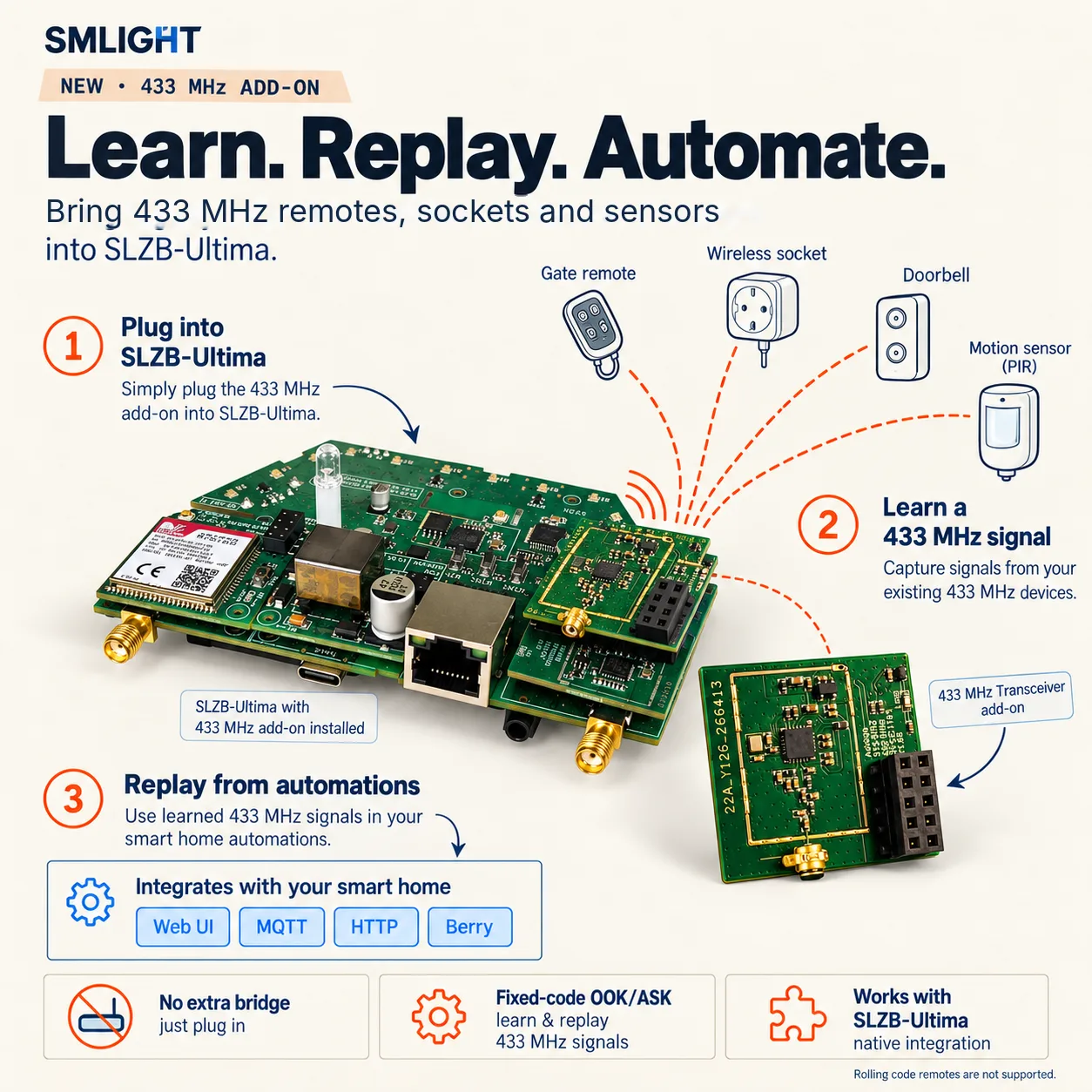
Up and running in four steps.
Four ways in.
Everything the add-on hears or sends is available where you already work:
| Where | What you can do |
|---|---|
| Web UI | The RF page on the SLZB-Ultima lists every received command with its signal strength, saves commands under a name and sends them with one click. |
| MQTT | Every received command is published on the status/rf topic, so Home Assistant or any MQTT client can react to it. |
| HTTP | One request sends a saved command by name, or a raw command with a frequency and a repeat count, from any system that can make an HTTP call. |
| Scripting module | The RF module in SLZB-OS scripting receives commands, saves them and sends them, so a Zigbee button can switch a 433 MHz socket with no external controller involved. |
Why you want it.
Fits this.
The 433 MHz add-on clicks onto the add-on header of the SLZB-Ultima. It is an optional module, not part of the base bundle, and it needs a current SLZB-OS with the “RF Transceiver” add-on type.
The specifics.
| Radio | Texas Instruments CC1101 sub-GHz transceiver |
| Band | 433 MHz (433.92 MHz) |
| Signals | Fixed-code OOK / ASK: learn, save and replay as raw pulses |
| Not supported | Rolling-code remotes (KeeLoq, Somfy RTS and similar) |
| Antenna | u.FL (IPEX) socket · 433 MHz antenna and IPX-to-SMA pigtail included |
| Host interface | Keyed 2 × 5 click-in header · SPI to the hub · presence detection |
| Power | 5 V from the hub · 3.3 V regulator on board |
| Indicator | 1 LED |
| Board | 29.9 × 28.2 mm · 4-layer |
| Firmware | SLZB-OS · add-on type “RF Transceiver” on the Mode page · RF page, REST API, MQTT, scripting module |
| Per command | Up to 1,024 pulses and 5 s of air time · 1–10 repeats · 20 µs timing resolution |
Quick questions.
In the box.
- —433 MHz add-on board
- —433 MHz antenna (SMA)
- —IPX-to-SMA pigtail
Where to get it.
The 433 MHz add-on is available now on smartlight.me and in our AliExpress store, with the 433 MHz antenna and the IPX-to-SMA pigtail in the box. Buying for a business or in volume? Our sales team is one email away.