Zigbee over Ethernet vs USB: Real Latency Test
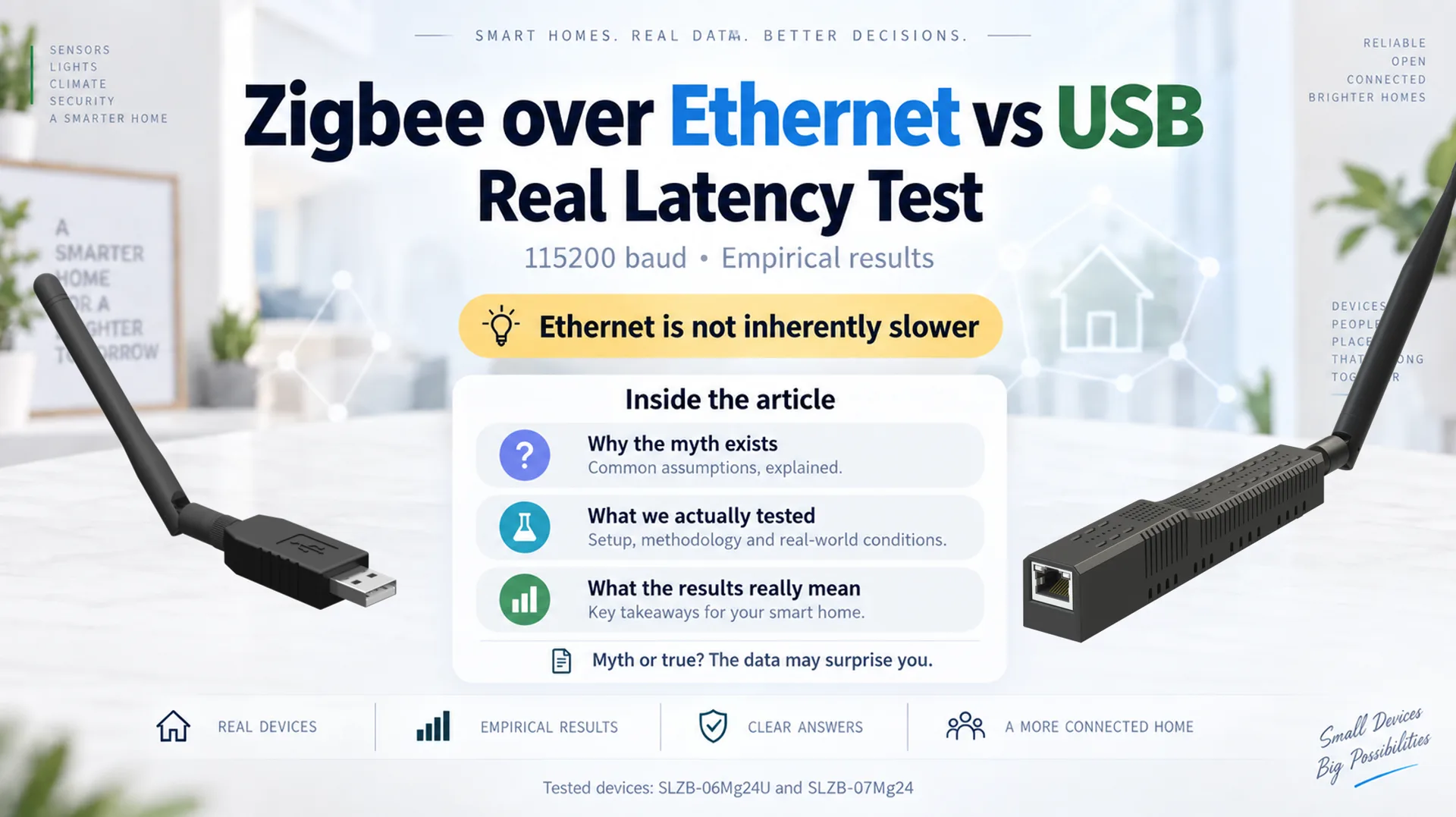
USB or Ethernet?
It is one of the recurring questions when choosing a Zigbee coordinator for Home Assistant, Zigbee2MQTT, ZHA, or another smart-home platform.
And the same arguments tend to appear again and again:
"USB is directly connected, so it must be faster."
"Ethernet adds network latency — doesn't that make it worse for Zigbee?"
"Can a Zigbee coordinator over LAN really be as responsive as a USB dongle?"
"Does PoE convenience come at the cost of performance?"
These are reasonable questions. But they are often answered from intuition rather than measurement.
To find out, we compared two closely matched EFR32MG24-based coordinators:
- SLZB-07Mg24 connected locally over USB;
- SLZB-06Mg24U connected over wired Ethernet on the same local LAN (the coordinator connection did not use Wi-Fi).
Both used the standard 115200 baud radio firmware.
The result was clear:
Zigbee over Ethernet was not slower than Zigbee over USB in our test. In this particular benchmark, the Ethernet-connected coordinator actually produced lower round-trip latency.
This does not mean that USB is a worse way to run Zigbee.
It means that the common statement "Ethernet adds network latency, therefore a network Zigbee coordinator must be slower" is too simplistic.
For most users, USB vs Ethernet should be a deployment choice, not a performance fear.
Quick answer: is Zigbee over Ethernet slower than USB?
Not inherently.
In our controlled 115200-baud test, the wired-Ethernet-connected coordinator had a simple mean average round-trip time of 12.292 ms, compared with 18.977 ms for the USB-connected coordinator.
That is about 35% lower latency in this particular benchmark.
This should not be interpreted as "Ethernet is always faster than USB." Different USB bridges, operating systems, firmware versions, network conditions, and hardware architectures can produce different results.
The more useful conclusion is:
A properly implemented Ethernet Zigbee coordinator on a normal local LAN does not have to sacrifice responsiveness compared with USB.
Why we decided to test it
Ethernet and PoE Zigbee coordinators are useful because the coordinator does not have to stay physically attached to the machine running Home Assistant or Zigbee2MQTT.
That gives users much more freedom when positioning the Zigbee radio.
But one argument frequently appears in discussions about network coordinators:
"USB is local, while Ethernet goes through the network, so Ethernet must introduce more latency."
This idea contains several assumptions:
- a USB connection has almost no latency;
- a local Ethernet network adds significant delay;
- that delay is large enough to affect communication between Zigbee software and the radio;
- therefore a USB Zigbee coordinator should always outperform an Ethernet Zigbee coordinator.
Instead of trying to answer this theoretically, we measured the complete communication path.
Test hardware
The comparison used two devices with the same Zigbee radio family:
| Connection | Device | Zigbee radio | Host-to-radio path |
|---|---|---|---|
| USB | SLZB-07Mg24 | EFR32MG24 | USB -> CP2102N -> UART |
| Wired Ethernet | SLZB-06Mg24U | EFR32MG24 | Ethernet cable -> LAN/TCP -> coordinator -> UART |
Using the same EFR32MG24 radio platform on both sides helps reduce one major variable.
So this is not a comparison between two very different Zigbee chip generations. The focus is primarily on the transport path between the host and the radio.
What exactly did we measure?
The benchmark measured round-trip time (RTT) between the host and the EFR32MG24 radio.
In simple terms, we measured how long it takes to:
- send a command from the host;
- deliver it through USB or Ethernet to the Zigbee radio;
- have the radio process the request;
- receive the response back on the host.
Conceptually:
Zigbee software
      |
      | request
      v
USB or wired Ethernet transport
      |
      v
EFR32MG24 Zigbee radio
      |
      | response
      v
USB or wired Ethernet transport
      |
      v
Zigbee software
The benchmark approximates the coordinator-side transaction:
Zigbee2MQTT / host
        ->
transport
        ->
EFR32MG24
        ->
transport
        ->
Zigbee2MQTT / host
This distinction matters.
We did not simply compare a LAN ping with USB latency. We measured the communication path to the radio and back.
What this benchmark does not measure
This is a coordinator transport latency test.
It is not a measurement of:
- Zigbee RF range;
- Zigbee mesh quality;
- signal strength;
- end-device routing;
- the complete time between pressing a Zigbee button and a light physically turning on;
- Internet or WAN performance.
Those are different topics.
The purpose here is specifically to test the claim that putting the Zigbee coordinator on Ethernet inherently makes communication between the host software and coordinator slower.
Test conditions
For the comparison:
- both coordinators used EFR32MG24 radios;
- both used the standard 115200 baud radio firmware;
- the USB coordinator was connected locally to the test host;
- the Ethernet coordinator and test host were on the same physical local LAN/subnet;
- the SLZB-06Mg24U coordinator was connected by a physical Ethernet cable — the coordinator link was not Wi-Fi;
- each payload size was tested 100 times;
- the benchmark measured the complete request/response round trip.
The payload sizes were:
0, 8, 16, 32, 64, 96, 120 bytes
A note about our 460800-baud experiments
We also repeated the transport tests with experimental 460800-baud radio firmware. Those runs showed even lower round-trip latency overall, particularly on the Ethernet path.
We intentionally keep those measurements outside the main comparison because 115200 baud is the standard configuration we normally use and distribute. A detailed 115200-vs-460800 comparison is a separate topic.
A normal wired LAN is important here.
To make the test topology explicit: the SLZB-06Mg24U was connected through a physical Ethernet cable, not over Wi-Fi. The purpose of the benchmark was to evaluate Zigbee-over-Ethernet on a normal local wired network.
Running a Zigbee coordinator across the Internet, an overloaded Wi-Fi bridge, a distant VPN, or a highly routed network is a different scenario and can obviously introduce additional delay.
Empirical results
Lower RTT is better.
| Payload | Ethernet average RTT | USB average RTT | Ethernet RTT reduction in this test |
|---|---|---|---|
| 0 B | 5.636 ms | 15.085 ms | 62.6% |
| 8 B | 6.901 ms | 15.089 ms | 54.3% |
| 16 B | 7.969 ms | 16.209 ms | 50.8% |
| 32 B | 10.172 ms | 17.460 ms | 41.7% |
| 64 B | 14.485 ms | 20.196 ms | 28.3% |
| 96 B | 18.826 ms | 23.514 ms | 19.9% |
| 120 B | 22.057 ms | 25.284 ms | 12.8% |
Summary
Taking a simple mean of the seven average RTT measurements:
| Connection | Mean of average RTT values |
|---|---|
| Ethernet | 12.292 ms |
| USB | 18.977 ms |
In this specific setup, Ethernet showed approximately 35.2% lower mean round-trip latency.
More importantly, Ethernet was not merely "close enough": it returned a lower average RTT at every tested payload size.
That is strong empirical evidence against the idea that Zigbee over Ethernet is automatically slower than Zigbee over USB.
So why was Ethernet not slower?
A simplified mental model looks like this:
USB = direct
Ethernet = network
But neither path is actually that simple.
USB path
A typical USB Zigbee adapter communicates through several layers:
Application
   ->
Operating-system USB stack
   ->
USB controller
   ->
USB communication
   ->
USB-to-UART bridge
   ->
UART
   ->
Zigbee radio
USB is fast and practical, but it is not instantaneous.
The USB-to-UART bridge, operating-system scheduling, buffering and serial transport all contribute to the complete round-trip time.
Ethernet path
An Ethernet coordinator follows a different path:
Application
   ->
TCP/IP socket
   ->
Ethernet interface
   ->
Local LAN / switch
   ->
Coordinator firmware
   ->
UART
   ->
Zigbee radio
That path contains more obvious network layers, but a modern local Ethernet network handles small packets very quickly.
The key point is:
The number of layers in a diagram does not tell you the actual end-to-end latency.
Firmware implementation, buffering, serial handling, operating-system behavior and bridge architecture can matter just as much as the physical connection type.
Myth: "USB is direct, so Ethernet Zigbee must be slower"
Our test does not support that statement.
The correct conclusion is not:
"Ethernet is always faster."
And it is also not:
"USB is slow."
The useful conclusion is:
Neither USB nor Ethernet should be judged purely from the connector. The complete implementation determines coordinator transport performance.
The USB coordinator remained comfortably within millisecond-level RTTs throughout the test.
At the same time, the Ethernet coordinator demonstrated that adding a properly implemented local network transport does not inherently create a latency penalty.
In this benchmark, it actually performed better.
USB remains an excellent choice
Performance measurements are only one part of choosing a coordinator.
The results above should not be interpreted as a recommendation to replace a good USB coordinator with Ethernet simply because one benchmark produced lower RTT numbers.
USB is often the simplest and most convenient architecture.
USB makes sense when:
- the Home Assistant or Zigbee2MQTT host is already in a good location;
- you want the simplest possible physical connection;
- you prefer a compact USB form factor;
- you do not need PoE;
- you do not need to separate the Zigbee coordinator from the host;
- your existing USB installation works reliably.
A few milliseconds of coordinator transport latency are normally not the deciding factor in everyday smart-home use.
The test simply shows that USB does not need to be chosen out of fear that Ethernet is too slow.
When Ethernet or PoE makes sense
Ethernet becomes attractive when coordinator placement and infrastructure flexibility matter more.
It is especially useful when:
- the Home Assistant or Zigbee2MQTT server is in a poor RF location;
- the server sits in a rack, basement, cabinet or utility room;
- you want to move the Zigbee radio closer to the center of the home;
- you want one Ethernet cable to provide both network and power through PoE;
- you want to separate the radio physically from the server;
- your infrastructure is already Ethernet/PoE based.
The latency test removes one common concern from that decision:
On a normal local LAN, choosing an Ethernet Zigbee coordinator does not mean accepting inherently worse coordinator latency.
USB vs Ethernet Zigbee: which should you choose?
There is no single answer for every installation.
| Requirement | USB coordinator | Ethernet / PoE coordinator |
|---|---|---|
| Simple local connection | Excellent | Excellent |
| Compact USB-stick format | Yes | No |
| No LAN required | Yes | No |
| Easy coordinator relocation | Limited by USB | Excellent |
| PoE | No | Yes |
| Position independently of server | Limited | Yes |
| Zigbee2MQTT | Yes | Yes |
| ZHA / Home Assistant | Yes | Yes |
| Low coordinator transport latency | Yes | Yes |
So the practical choice is mostly about deployment topology.
If USB fits your installation, use USB.
If you want PoE, flexible radio placement, or a coordinator independent of the host location, Ethernet is a strong option — and the test shows that you do not need to assume it will be slower.
Why firmware implementation matters
During development, we also tested different Ethernet firmware behavior and socket-handling approaches.
Earlier implementations showed higher latency. Optimizing socket handling and removing unnecessary delays materially improved the result.
This reinforces an important engineering point:
"Ethernet latency" and "Ethernet coordinator latency" are not the same thing.
The complete response time can be affected by:
- firmware polling intervals;
- TCP socket implementation;
- task scheduling;
- buffering;
- UART configuration;
- FIFO behavior;
- USB bridge behavior;
- host operating-system scheduling;
- radio-side processing.
A network coordinator can therefore be slow because of its implementation even when the actual Ethernet network is extremely fast.
Likewise, a USB coordinator can have additional transport overhead even though the cable is directly connected to the host.
The correct way to evaluate either architecture is end-to-end measurement.
What we can conclude
The measured data supports several conclusions:
- Zigbee over Ethernet is not inherently slower than Zigbee over USB.
- In this benchmark, the Ethernet coordinator produced lower average RTT at every tested payload size.
- A local USB connection should not be treated as a zero-latency reference.
- A normal local Ethernet network does not automatically introduce a meaningful coordinator-performance penalty.
- Firmware, buffering and transport architecture matter.
- Both USB and Ethernet remain technically sound choices for a Zigbee coordinator.
What we cannot conclude
The test does not prove that:
- every Ethernet Zigbee coordinator is faster than every USB Zigbee coordinator;
- every USB bridge behaves like the one used in this test;
- Ethernet will perform the same way over a WAN, Internet connection or high-latency VPN;
- RTT between the host and coordinator directly represents Zigbee RF or end-device response time;
- one connection type is universally better for every smart-home installation.
This is an empirical comparison of specific hardware, firmware and local-network conditions.
That distinction matters.
Frequently asked questions
Is Zigbee over Ethernet slower than Zigbee over USB?
Not inherently.
In our test, Ethernet produced lower average round-trip latency at every tested payload size.
The result demonstrates that a local Ethernet Zigbee coordinator does not automatically suffer a latency disadvantage.
Is a USB Zigbee coordinator a bad choice?
No.
USB remains one of the simplest and most practical ways to connect a Zigbee coordinator.
If your server is already in a good radio location and USB suits the installation, there is no reason to avoid it because of this benchmark.
Why would I choose Zigbee over Ethernet or PoE?
An Ethernet or PoE Zigbee coordinator lets you position the radio independently from the server.
That can be useful when Home Assistant, Zigbee2MQTT, a NAS, mini PC or homelab server is installed in a rack, basement, cabinet or another location that is not ideal for the Zigbee mesh.
Does Zigbee2MQTT work with both USB and Ethernet coordinators?
Yes.
Both connection methods are commonly used with Zigbee2MQTT, and both can provide low coordinator transport latency when implemented correctly.
Does Ethernet network latency matter for Zigbee?
It can, depending on the network.
This test used a normal wired local LAN with the coordinator and host on the same local network. The Ethernet coordinator itself was connected by a physical Ethernet cable, not Wi-Fi.
A distant VPN, Internet link, congested wireless bridge or unusual routed topology can introduce additional latency and should not be treated as equivalent to local Ethernet.
What baud rate was used in this test?
The results presented in the main comparison use the standard 115200 baud radio firmware.
We also tested experimental 460800-baud firmware and observed better transport performance, but 460800 baud is not our regular configuration. We therefore keep those results outside this article's primary USB-vs-Ethernet comparison.
Myths and facts: what did the test actually show?
Myth: "USB has effectively zero latency"
False.
USB is fast, but it is not instantaneous.
A USB Zigbee coordinator still communicates through the host operating system, USB controller, USB framing, a USB-to-UART bridge, UART transport and the Zigbee radio itself.
In our test, the USB path had clearly measurable round-trip latency.
That is normal and does not make USB a bad choice. It simply means that "local" does not mean "zero latency."
Myth: "Ethernet always adds more latency than USB"
False.
In our test, the Ethernet-connected coordinator produced a lower average RTT than the USB-connected coordinator at every tested payload size.
This does not mean Ethernet is universally faster.
It means Ethernet is not inherently slower simply because a network is involved.
Myth: "A Zigbee coordinator over Ethernet is too remote for responsive operation"
False on a normal local LAN.
With the coordinator and host on the same wired local network, the measured round-trip latency remained comfortably within the millisecond range.
The Ethernet coordinator showed an average RTT between approximately 5.6 ms and 22.1 ms across the tested payload sizes.
For normal local deployments, our measurements do not support the idea that Ethernet transport is fundamentally too slow for Zigbee coordinator communication.
Myth: "If Ethernet performance is poor, the LAN must be the problem"
False.
Coordinator latency is determined by the complete communication chain.
Firmware polling intervals, buffering, socket handling, task scheduling, UART configuration and radio-side processing can all affect the result.
A slow Ethernet coordinator does not automatically mean the Ethernet network itself is slow.
True: USB remains an excellent Zigbee option
True.
USB is simple, compact and direct.
If the host is already in a good location and USB fits the installation, there is no reason to avoid it.
The purpose of this test is not to show that USB is inferior.
True: Ethernet and PoE give more placement freedom
True.
Ethernet allows the coordinator to be positioned independently from the Home Assistant or Zigbee2MQTT server.
That can be particularly useful when the server is in a rack, basement, cabinet or another RF-unfriendly location.
PoE can also provide power and data over a single cable.
True: the complete implementation matters more than the connector
True.
The connector alone does not determine performance.
A well-designed USB coordinator can perform very well.
A well-designed Ethernet coordinator can also perform very well — and in this particular benchmark, the Ethernet path was faster.
That is the main empirical takeaway.
Final conclusion: choose based on your installation, not a latency myth
USB and Ethernet solve different installation problems.
USB provides a compact, direct and simple connection.
Ethernet and PoE provide much greater freedom in coordinator placement and make it possible to separate the Zigbee radio from the server.
Our empirical test was designed to answer one specific concern:
Do you have to sacrifice Zigbee coordinator performance when moving from USB to Ethernet?
With the tested SLZB-07Mg24 and SLZB-06Mg24U, the answer was no.
So the practical verdict is:
Myth: Ethernet Zigbee is inherently slower than USB.
Result: Not supported by our measurements.
True: USB and Ethernet are both valid Zigbee coordinator architectures.
Result: Choose primarily based on installation needs, placement and connectivity.
At the standard 115200-baud configuration, the Ethernet coordinator was not only competitive — it produced lower average RTT throughout the benchmark.
That does not make USB obsolete, and it does not make Ethernet universally faster.
It means users can choose the connection architecture that best fits the installation without assuming that Ethernet is inherently the slower way to run Zigbee.
Test-data summary
| Configuration | Mean of average RTT across tested payloads |
|---|---|
| Ethernet — SLZB-06Mg24U | 12.292 ms |
| USB — SLZB-07Mg24 | 18.977 ms |
Tested payload sizes: 0, 8, 16, 32, 64, 96, 120 bytes
Iterations: 100 per payload size
Radio platform: EFR32MG24
Radio firmware speed: 115200 baud
Ethernet topology: wired Ethernet (physical cable), same local LAN/subnet; coordinator link was not Wi-Fi
Appendix: original raw 115200-baud benchmark outputs
For transparency and reproducibility, below are the original console outputs used for the main 115200-baud comparison in this article.
These are the full benchmark results rather than only the averaged values shown in the article tables. They include the command, EZSP/ASH connection output, and the measured minimum, median, average, standard deviation, P99, and maximum RTT for every payload size.
Note: the Ethernet command uses the test hostname
slzb-06mg24.local. The tested product is the SLZB-06Mg24U, connected to the LAN through a physical Ethernet cable.
Raw test A — SLZB-07Mg24 over USB, 115200 baud
python3 tools/test_ezsp_transport.py /dev/ttyUSB0 -b 115200 -n 100 --sizes 0,8,16,32,64,96,120
[*] Opening connection to target: /dev/ttyUSB0 (baud: 115200)...
[*] Sending ASH Reset...
[+] Received valid ASH RSTACK (Version 2, Reset Code 0B)
[+] Connected and ASH reset complete!
[+] EZSP Version Handshake OK: 00 80 00 0D 02 20 74

===========================================================================
       MULTI-PAYLOAD EZSP LATENCY BENCHMARK (100 iter/size)
===========================================================================
  Size |    Min RTT |     Median |    Avg RTT |     Stdev |    P99 RTT |    Max RTT
---------------------------------------------------------------------------
   0 B |  12.545 ms |  14.995 ms |  15.085 ms |  0.776 ms |  16.062 ms |  16.062 ms
   8 B |  12.579 ms |  15.008 ms |  15.089 ms |  0.803 ms |  16.062 ms |  16.062 ms
  16 B |  13.724 ms |  16.004 ms |  16.209 ms |  1.089 ms |  18.015 ms |  18.015 ms
  32 B |  15.803 ms |  17.043 ms |  17.460 ms |  0.877 ms |  19.072 ms |  19.073 ms
  64 B |  17.682 ms |  20.023 ms |  20.196 ms |  1.067 ms |  22.304 ms |  22.305 ms
  96 B |  21.701 ms |  23.846 ms |  23.514 ms |  1.001 ms |  25.059 ms |  25.059 ms
 120 B |  22.545 ms |  25.005 ms |  25.284 ms |  0.989 ms |  27.019 ms |  27.019 ms
===========================================================================
Raw test B — SLZB-06Mg24U over wired Ethernet, 115200 baud
python3 tools/test_ezsp_transport.py slzb-06mg24.local:6638 -n 100 --sizes 0,8,16,32,64,96,120
[*] Opening connection to target: slzb-06mg24.local:6638 (baud: 115200)...
[*] Sending ASH Reset...
[+] Received valid ASH RSTACK (Version 2, Reset Code 0B)
[+] Connected and ASH reset complete!
[+] EZSP Version Handshake OK: 00 80 00 12 02 10 90

===========================================================================
       MULTI-PAYLOAD EZSP LATENCY BENCHMARK (100 iter/size)
===========================================================================
  Size |    Min RTT |     Median |    Avg RTT |     Stdev |    P99 RTT |    Max RTT
---------------------------------------------------------------------------
   0 B |   5.501 ms |   5.580 ms |   5.636 ms |  0.153 ms |   6.620 ms |   6.625 ms
   8 B |   6.408 ms |   6.908 ms |   6.901 ms |  0.153 ms |   7.451 ms |   7.453 ms
  16 B |   7.704 ms |   7.918 ms |   7.969 ms |  0.133 ms |   8.472 ms |   8.474 ms
  32 B |   9.830 ms |  10.135 ms |  10.172 ms |  0.125 ms |  10.608 ms |  10.609 ms
  64 B |  14.147 ms |  14.452 ms |  14.485 ms |  0.160 ms |  14.911 ms |  14.912 ms
  96 B |  18.301 ms |  18.816 ms |  18.826 ms |  0.191 ms |  19.494 ms |  19.496 ms
 120 B |  21.581 ms |  22.024 ms |  22.057 ms |  0.222 ms |  22.948 ms |  22.950 ms
===========================================================================
The raw outputs above are the source measurements behind the main 115200-baud comparison. The experimental 460800-baud runs are intentionally not reproduced here because they were exploratory and are not the standard firmware configuration discussed in this article.
Related SMLIGHT coordinator families
The test devices represent the two main connection approaches available in the SMLIGHT range:
- SLZB-07x — USB Zigbee coordinators;
- SLZB-06xU — Ethernet / PoE Zigbee coordinators.
The purpose of this comparison is not to rank one family above the other, but to show that users can choose between USB and Ethernet based primarily on installation needs rather than assumed latency differences.
The results above are empirical measurements from the described SMLIGHT hardware, firmware and local-network configuration. Results can differ with other USB bridges, operating systems, firmware versions, radio platforms and network topologies.