SLZB-Ultima.
One hub. Every radio.
A no-compromise smart-home powerhouse for advanced users, system integrators and enthusiasts who want maximum protocol coverage, expandability and autonomy — all in one compact device. Whether you're building a multi-protocol smart home, an autonomous remote setup or an experimental lab, Ultima is built to handle it.
What makes it a powerhouse.
SLZB-Ultima combines multiple radios, interfaces and expansion options into a single, unified smart-home device. Each hardware block solves a specific class of tasks — tap any tile to jump to the detail.
 CC26XXPXZigbee & Thread radioZigbee coordinator / router and Thread Border RouterEFR32MGXXSecond Zigbee & Thread radioParallel Zigbee or Thread Border Router networks
 Z-Wave 800 Add-OnOptionalZ-Wave JS over Ethernet
 USB HostExtra radios & peripheralsZigbee / Thread / Z-Wave USB dongles
 4G / LTE Add-OnIndependent internetPrimary or backup WAN
 IR ReceiverLearn infrared commandsCapture and decode IR signals from remotes
 IR TransmitterControl legacy devicesTVs, air conditioners, AV equipment
 ESP32-S3 (Wi-Fi)Network backbone2.4 GHz Wi-Fi, internet access, 4G/LTE bridging
 ESP32-S3 (Bluetooth)BLE integrationBluetooth Proxy for Home AssistantPoE Add-OnProfessional powerPower + data via single Ethernet cable
 Microphone Add-OnOptionalESPHome audio pass-through
 I²C & GPIODIY & expansionSensors, UPS, custom hardware
 BuzzerAudible feedbackAlerts and confirmations
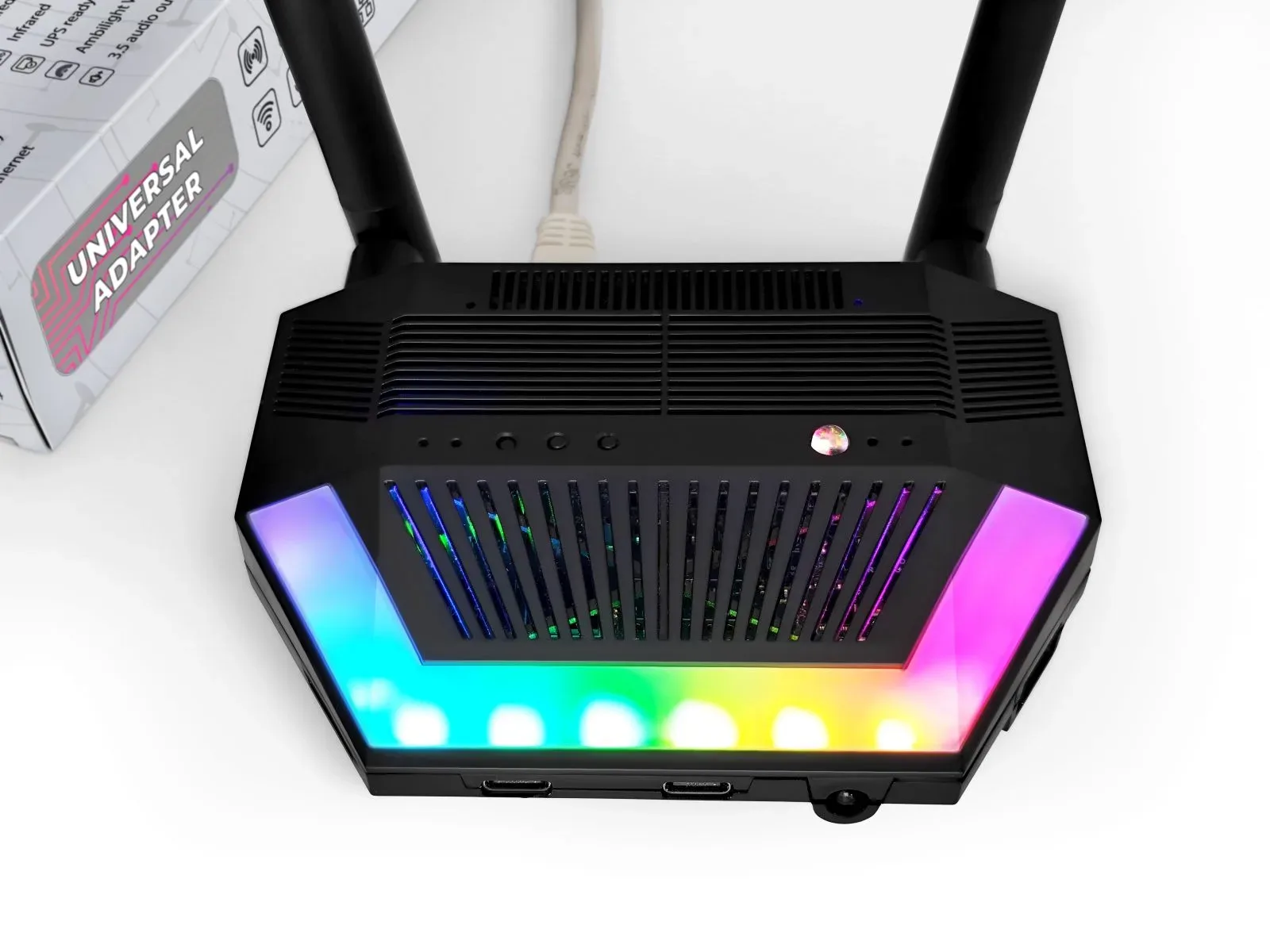
 WS2812B RGB LEDsVisual statusAnimations and system state
 Buttons & LEDsLocal interactionManual control and pairing
 DDNSRemote accessUse DDNS with public IPs
 WireGuardSecure accessTunneling to Home Assistant
 OTA UpdatesRemote OTAOne-click firmware updates
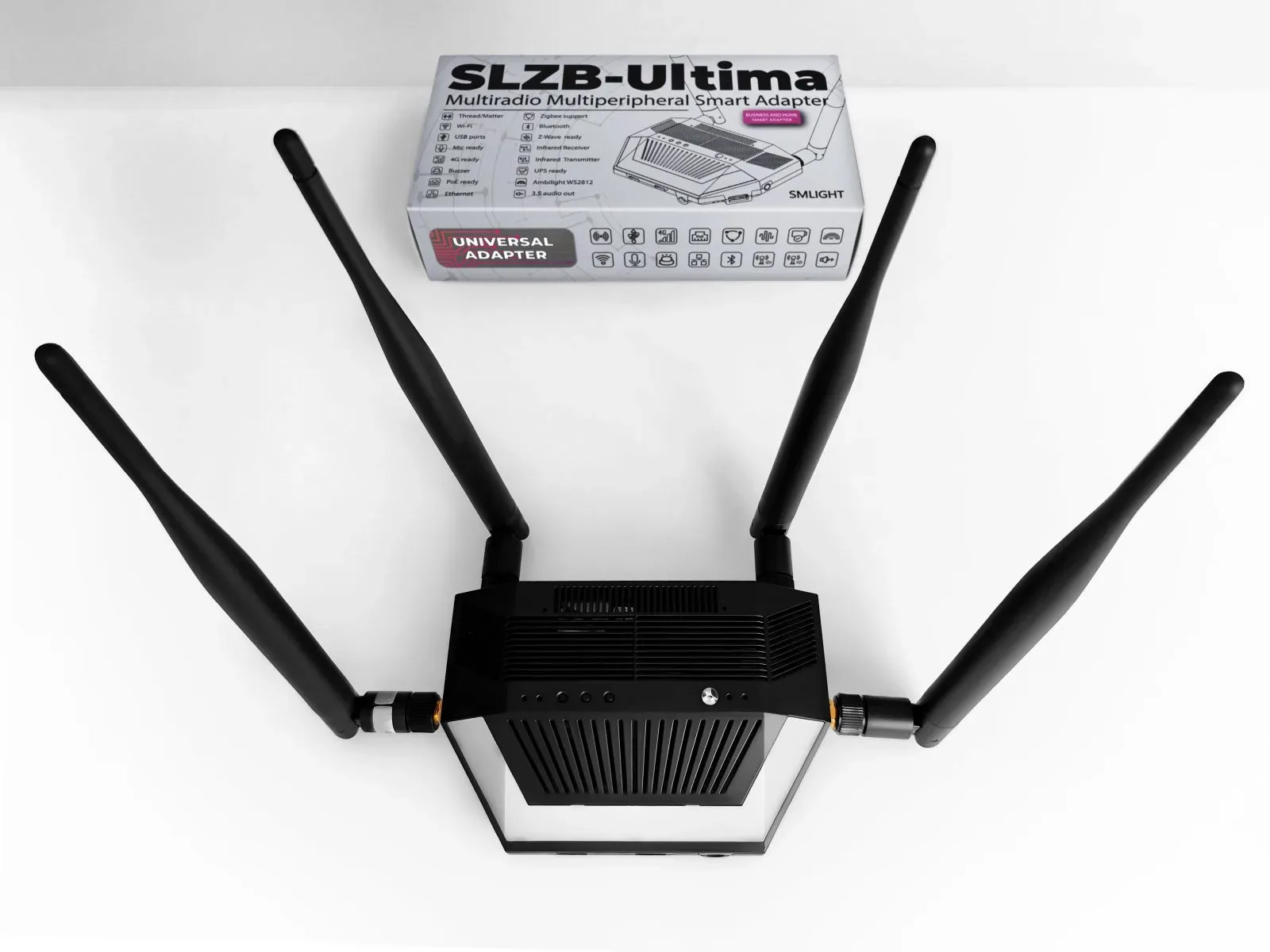
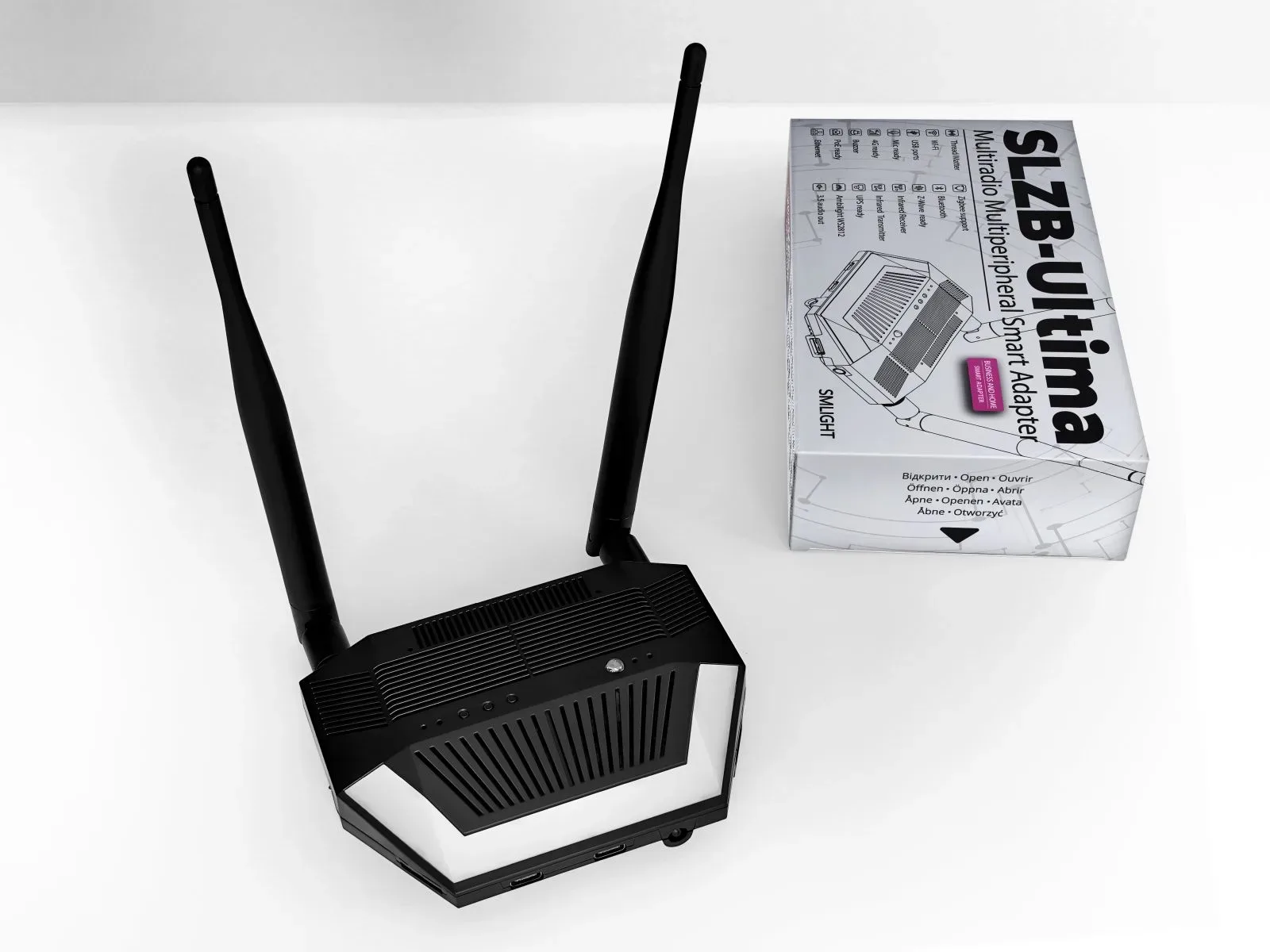
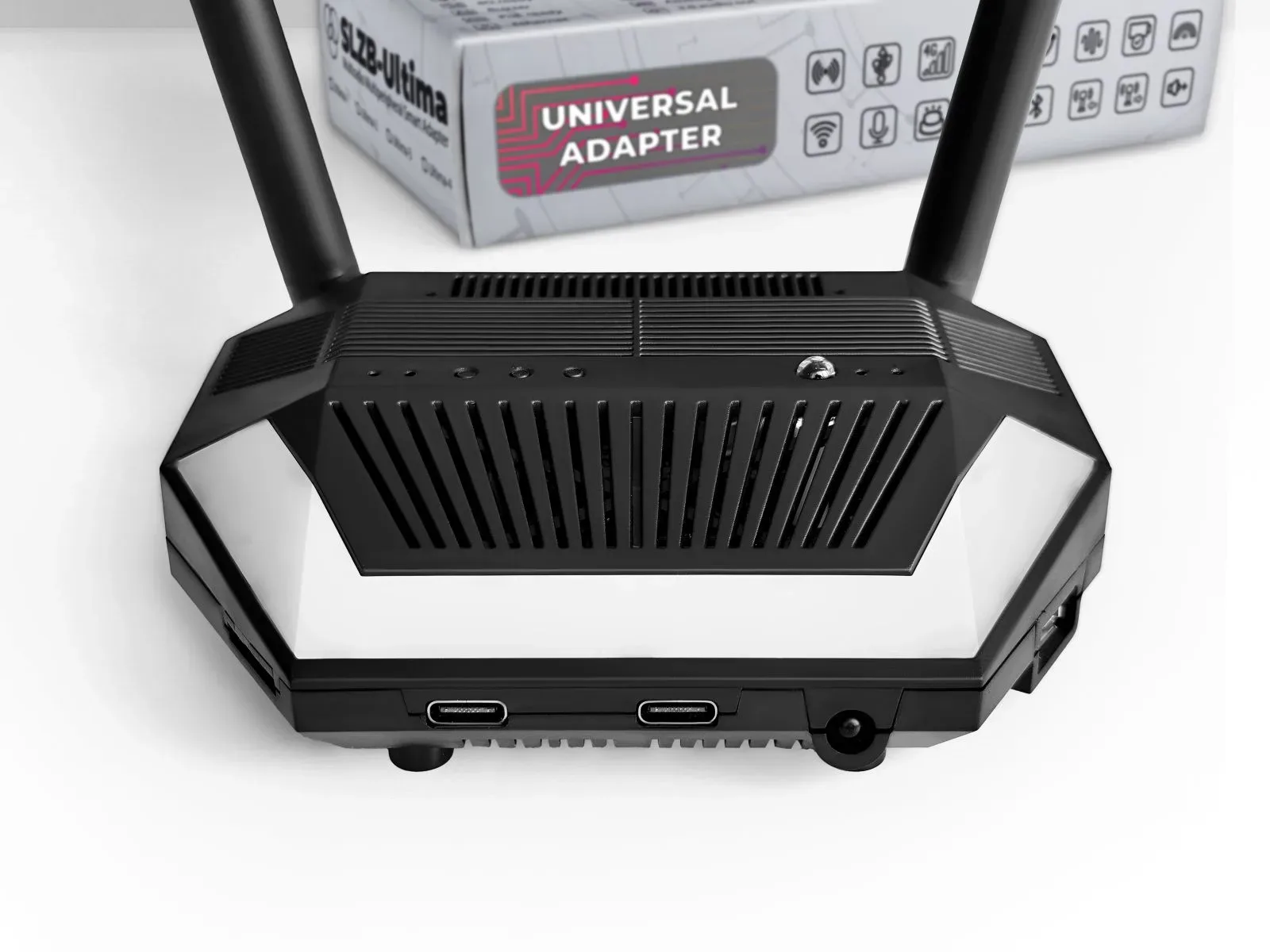
See it up close.
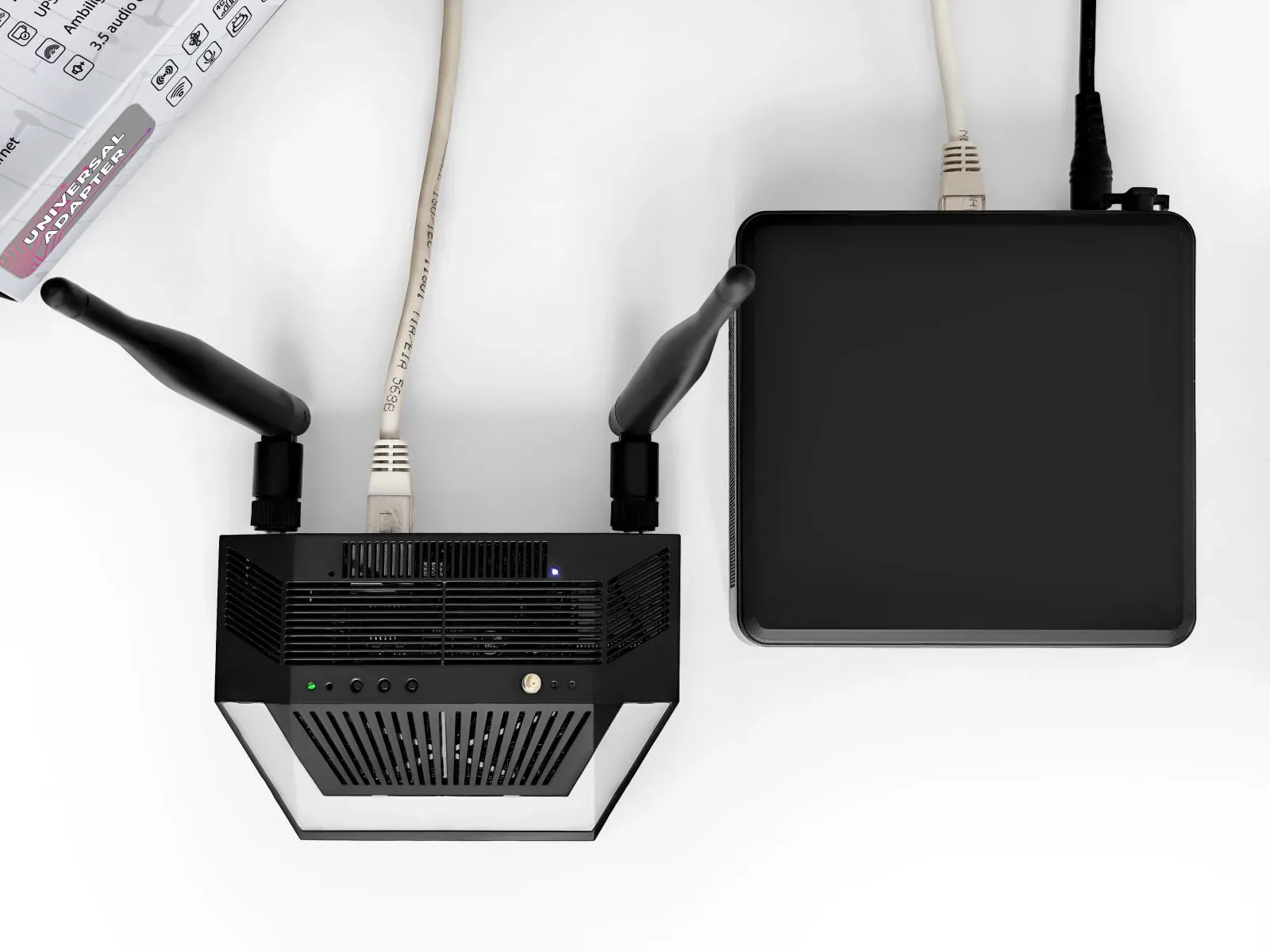

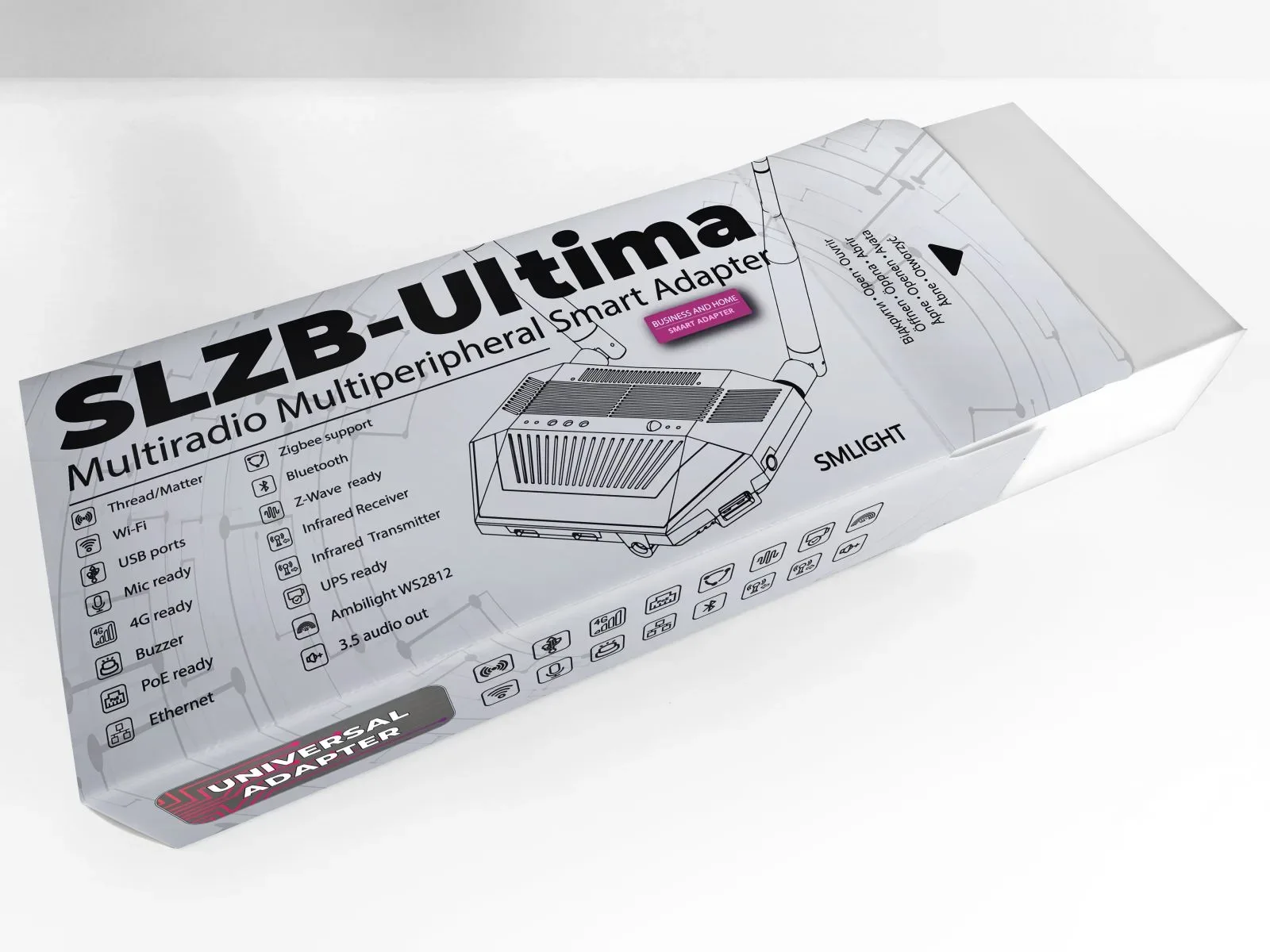
What each part does for you.
The full feature set — radios, interfaces, add-ons and software — with what you can do and where it helps.
You can use this SoC as Zigbee Coordinator, Zigbee Router or Open Thread Border Router.
- High-performance Zigbee coordinator for Home Assistant
- Dedicated Thread network for Matter devices
- Zigbee router for range extension and mesh stability
You can use this SoC as Zigbee Coordinator, Zigbee Router or Open Thread Border Router.
- Parallel Zigbee or Thread network
- Vendor-specific testing or migration scenarios
- Redundant or isolated smart-home environments
The Z-Wave 800 add-on (non-certified yet, but ongoing) allows you to run a full Z-Wave network over Ethernet using Home Assistant Z-Wave JS.
- High-performance Z-Wave controller
- Different Z-Wave regions are supported
- Centralized Z-Wave over Ethernet or USB
ESP32-S3 Wi-Fi 2.4 GHz provides the primary network backbone for SLZB-Ultima, enabling wireless operation, Ethernet-backed bridging, and internet access for all internal and external radios.
- Standalone smart-home gateway over Wi-Fi
- Backup or secondary connectivity when Ethernet is unavailable
- Internet access for remote or mobile installations
ESP32-S3 Bluetooth enables Bluetooth Proxy functionality when running ESPHome firmware, allowing Home Assistant to discover, connect to, and communicate with BLE devices over the network.
- Bluetooth Proxy for Home Assistant
- Integrate BLE sensors, locks, and trackers
- Presence detection and room-based monitoring
The built-in IR receiver allows SLZB-Ultima to capture and expose infrared commands from standard remote controls. Received IR signals can be displayed, logged, and used as triggers for automations in Home Assistant.
- Capture and analyze IR commands from TV, AC, or AV remotes
- Learn legacy IR protocols for later retransmission
- Integrate non-smart IR devices into a modern smart-home setup
The built-in IR transmitter allows SLZB-Ultima to send infrared commands to TVs, air conditioners, and other IR-controlled devices. It can transmit predefined codes, triggered by Home Assistant or other automation logic.
- Control TVs, AC units, projectors, and AV equipment
- Automate climate or media devices without cloud services
- Replace multiple IR remotes with a single smart controller
The optional PoE add-on allows SLZB-Ultima to be powered directly via Power over Ethernet, delivering both power and data over a single cable. This enables cleaner installations and easy integration into professional or rack-mounted environments.
- Single-cable power and network connectivity
- Centralized power via PoE switches or UPS-backed infrastructure
- Professional smart-home and commercial deployments
The optional 4G / LTE add-on turns SLZB-Ultima into a self-contained internet gateway, providing mobile data connectivity without relying on wired or local Wi-Fi networks. It can operate as a primary or backup WAN.
- Internet access in remote or hard-to-reach locations
- Autonomous smart-home or IoT deployments
- Temporary installations, mobile setups, or field testing
The dedicated USB host port lets SLZB-Ultima connect additional radios and peripherals — external Zigbee, Thread or Z-Wave USB adapters, plus experimental or custom devices. It supports passthrough of one USB device based on a CP2102, CH340 or CDC_ACM chip (the most common USB SoCs). Note: the 4G add-on is already one USB device, so if that slot is taken by the 4G add-on you can't add more USB devices.
- Add extra Zigbee, Thread, or Z-Wave radios
- Run parallel or isolated networks for testing or migration
- Extend functionality without replacing the core device
The built-in buzzer provides audible feedback and notifications directly from the device. It can generate beeps, alerts, and simple melodies triggered by system events, user actions, or automations.
- Confirmation, warning, and error sounds
- Local status notifications and alerts
- Audible signaling in remote installations
The optional microphone add-on provides audio input when running ESPHome-based firmware, enabling audio streaming and processing in Home Assistant (for example, in Voice Assistant) or custom DIY projects.
- Audio streaming to Home Assistant via ESPHome
- Voice- or sound-triggered DIY automations
- Prototyping custom audio-based integrations
SLZB-Ultima features 12 on-board WS2812B RGB LEDs that provide rich, fully addressable visual feedback. The LEDs can display colors, patterns, and animations to reflect system states, network activity, alerts, or custom logic.
- Visual indication of system, network, or radio status
- Confirmation, warning, and error animations
- Custom LED effects for automations and scenes
SLZB-Ultima includes 3 physical buttons and 4 service LEDs for direct, local interaction. They let users trigger actions, change modes, initiate pairing, perform resets, and visually monitor system states — without requiring web or network access.
- Manual actions and quick local control
- Mode switching or reset operations
- Visual indication of system and network states
With Dynamic DNS (DDNS) support, SLZB-Ultima remains reachable even when your internet connection uses a changing public IP address. The device automatically updates its address, enabling reliable remote access without manual router reconfiguration.
- Remote access to SLZB-Ultima from anywhere
- Managing installations behind consumer ISPs
- Reliable access without purchasing a static IP
With built-in WireGuard VPN support, SLZB-Ultima can establish secure, encrypted connections to remote Home Assistant or other systems. WireGuard offers modern cryptography, high performance, and low overhead — suitable for permanent connections, mobile access, and site-to-site smart-home setups.
- Secure remote access without exposing ports
- Encrypted connection to Home Assistant or internal services
- Safe management of remote or mobile installations
SLZB-Ultima can run a lightweight built-in Zigbee hub, acting as a micro alternative to Zigbee2MQTT or ZHA for small, local setups — without Home Assistant or external services. Pair, monitor, and control Zigbee devices directly on the device.
- Small Zigbee networks without ZHA or Zigbee2MQTT
- Simple lighting, switching, or sensor monitoring
- Remote or offline installations with minimal infrastructure
SLZB-Ultima can execute local automations directly on the device, so logic and actions run independently of the internet or external controllers. That means low latency, high reliability, and continued operation even when Home Assistant or network connectivity is unavailable.
- Turn on a light when a Zigbee door sensor is triggered
- Reboot the device on socket failure
- Parse online data and trigger GPIO or outputs
SLZB-Ultima supports over-the-air (OTA) firmware updates, allowing both core and radio firmware to be updated remotely through a simple, controlled process — no physical access required.
- Update devices deployed in remote locations
- Roll out fixes and improvements safely
- Maintain and manage multiple devices at scale
Additional features.
- User interface available in 20+ languages
- Secure login support
- Zigbee2MQTT and ZHA configuration helpers
- Night mode for comfortable use in low light
- Native SMLIGHT SLZB Home Assistant integration
- One-click mode selector for easy role switching
- Network configuration via DHCP or Static IP
Two ways to run it.
SLZB-OS
A user-friendly web interface with advanced features: WireGuard VPN, DDNS, internal automations, internal Zigbee Hub mode (no Home Assistant / Z2M required), and one-click firmware updates.
ESPHome
Native Home Assistant integration with support for Bluetooth Proxy, IR receiver/transmitter, WS2812B LEDs, buttons, buzzer and GPIOs — with some limitations for advanced multi-radio and standalone-hub scenarios.
Not just a coordinator — a powerhouse.
Get your SLZB-Ultima.
Ships worldwide from our web stores and distributor network. Choosing which click-in modules you need, ordering for a project, or buying in volume? Our sales team is one email away.