Device setup
- Insert the USB port of the air conditioner
- Wait for the AC-wifi network to appear
- Connect to it with the password slwf01pro
- Go from the browser to the address http://192.168.4.1
- In the menu, select the home WiFi network
- Enter the password and connect.
- Home Assistant will see the device automatically and prompt you to add it
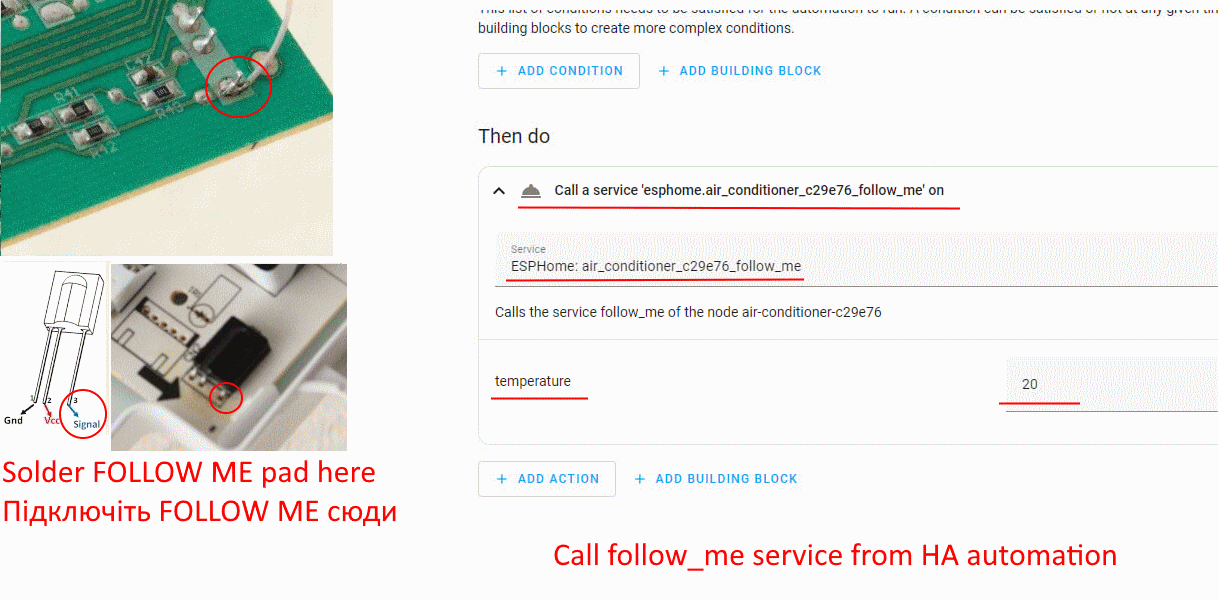
Optionally, you can solder a FOLLOW ME pad to use additional functionality that is only available via IR:
FOLLOW ME pad location
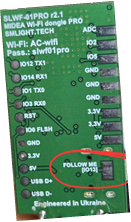
Soldering location