ZREL — Zigbee over Ethernet
Teleport your Zigbee mesh through walls, floors and buildings. ZREL is the first device that carries raw Zigbee radio traffic over Ethernet: one mesh across all areas, works with ZHA and Zigbee2MQTT, PoE or USB-C power. A limited first batch ships now, straight from the bench.
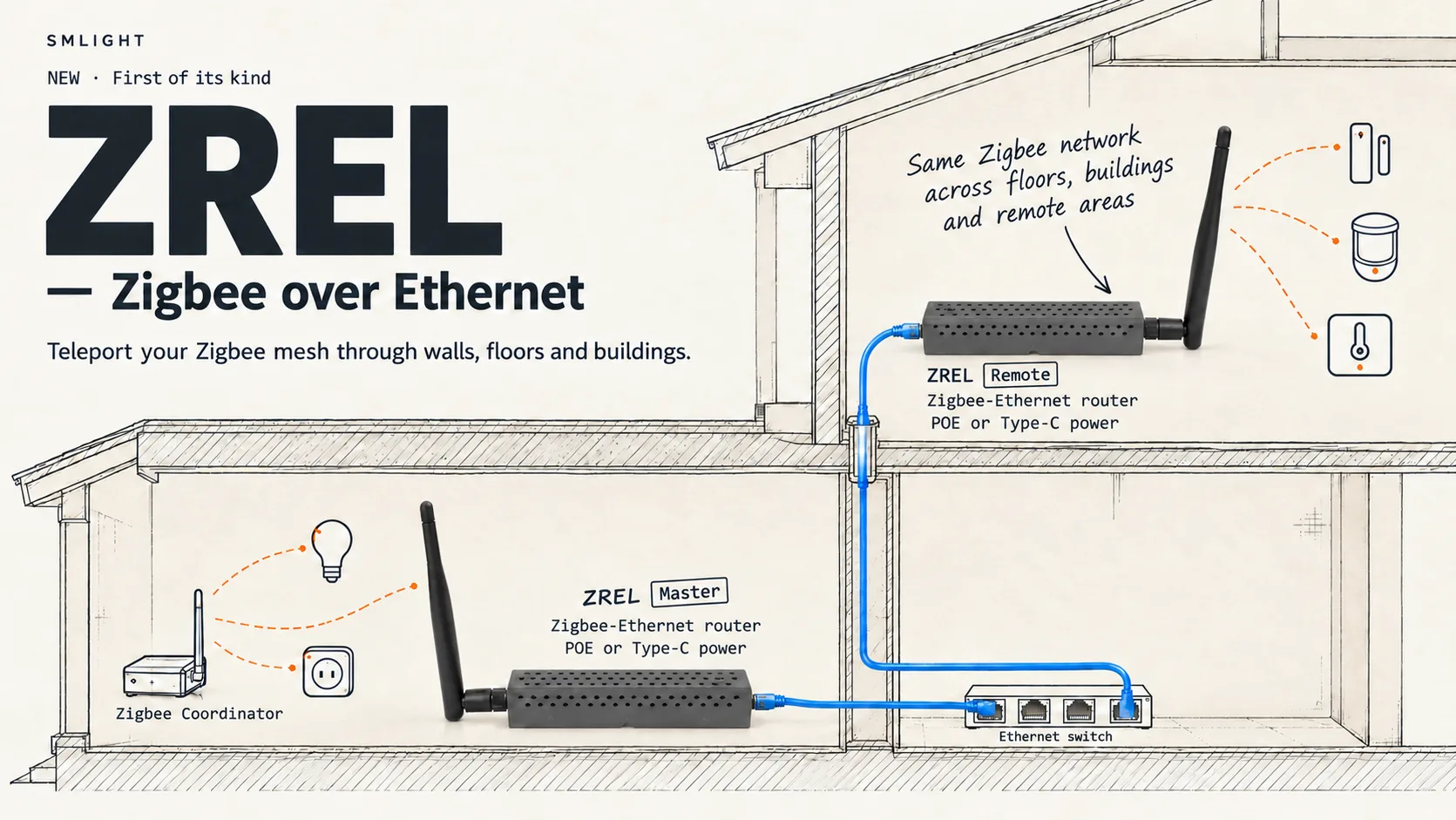
Your coordinator stays where it is. A ZREL Remote brings that same network to the place radio can't reach.
Today we are announcing something we have worked on for a long time, and we are not going to pretend to be calm about it. ZREL is the first device that carries raw Zigbee radio traffic over Ethernet. One Zigbee network, your existing coordinator, your existing Zigbee2MQTT or ZHA, now reaching other floors, detached buildings and rooms where no router chain has ever held.
Every Zigbee network eventually meets a wall it cannot cross: a reinforced slab between floors, a detached garage across the yard, a basement where the server lives and no sensor ever will. Until today the answers were to chain routers across the gap and hope, or to run a second network from a second coordinator. ZREL is the third answer: two devices that pick up the raw Zigbee radio traffic at one end, carry it over the Ethernet you already have, and put it back on the air at the other. Same network, same PAN ID, same coordinator, same device list. The only thing that changes is how far the network can reach.
Stop fighting physics. Use your Ethernet instead.
A limited first batch, straight from the bench
We are too excited to wait for enclosures. The first batch of ZREL is limited, and it ships exactly as it sits on our bench: the board and its antenna, no case. It works out of the box. Plug in Ethernet or USB-C and it shows up in ZREL Config.
If you want it dressed, the enclosure is a 3D model you print yourself: download the 3D model (STL, 1.2 MB). Our own units wear it in the photos on this page.
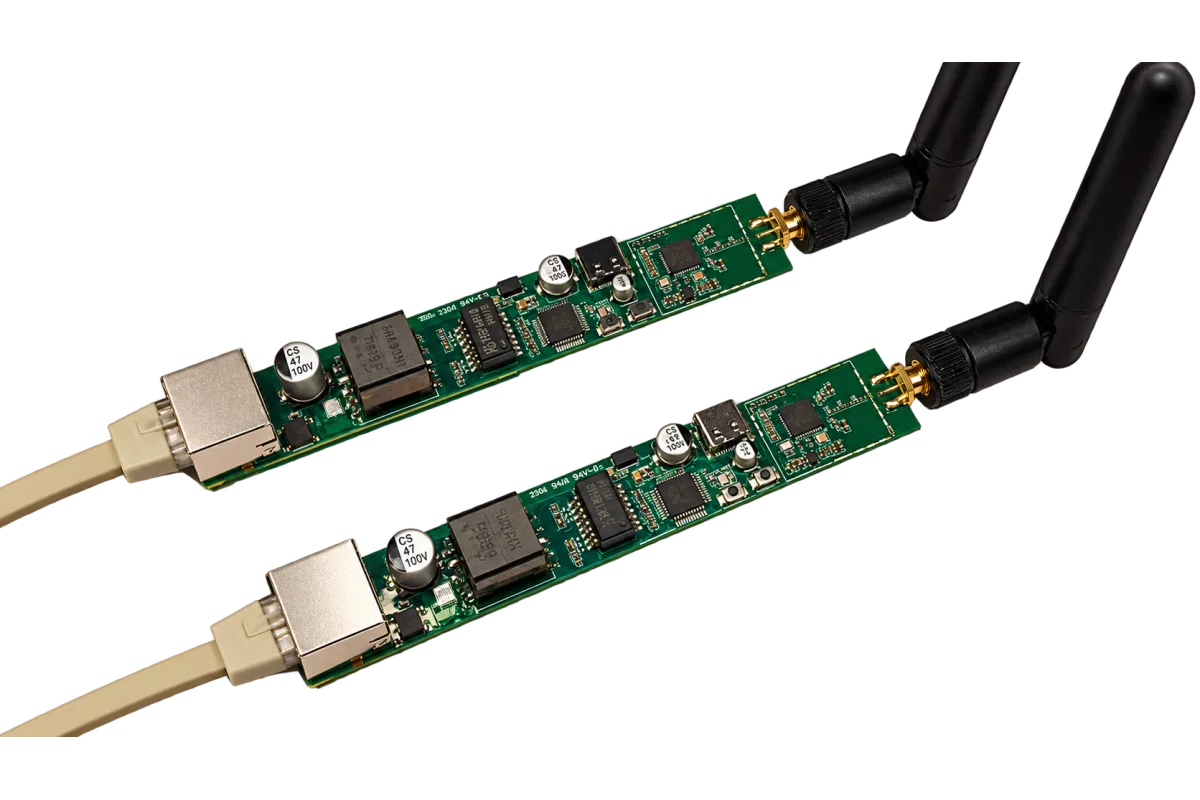
The first batch, as shipped: board, antenna, Ethernet. Nothing to unscrew.
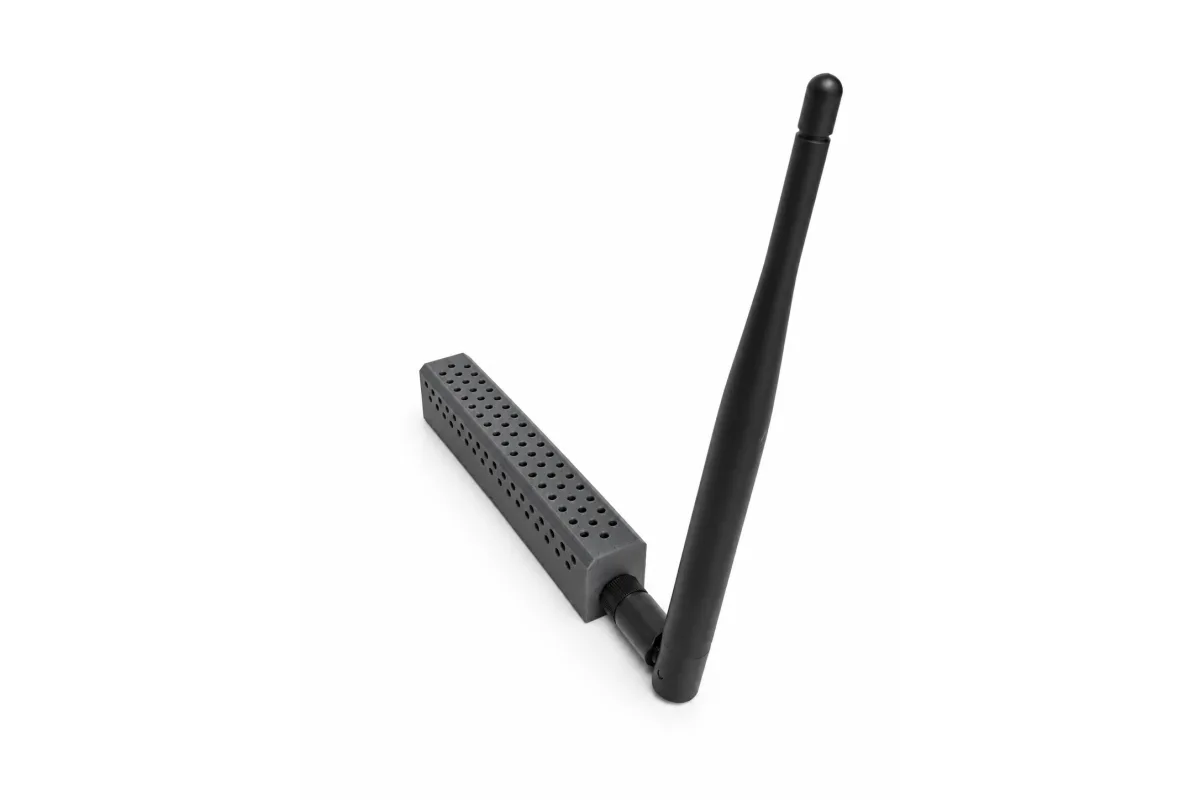
The same board in the printed enclosure. The 3D model is free to download (STL, 1.2 MB).
How it works, in one minute
- Master sits inside your existing Zigbee coverage and joins your network as an ordinary Zigbee router.
- Remote sits where coverage is missing, joins the same network as a router, and serves the devices around it.
- Between them, a TCP link on your LAN carries the raw radio traffic. Whatever the Remote's radio hears, the Master's radio transmits, and the other way round. Two radio cells behave as one.
The coordinator sees two routers. It does not know, and does not need to know, that the link between them is a cable.
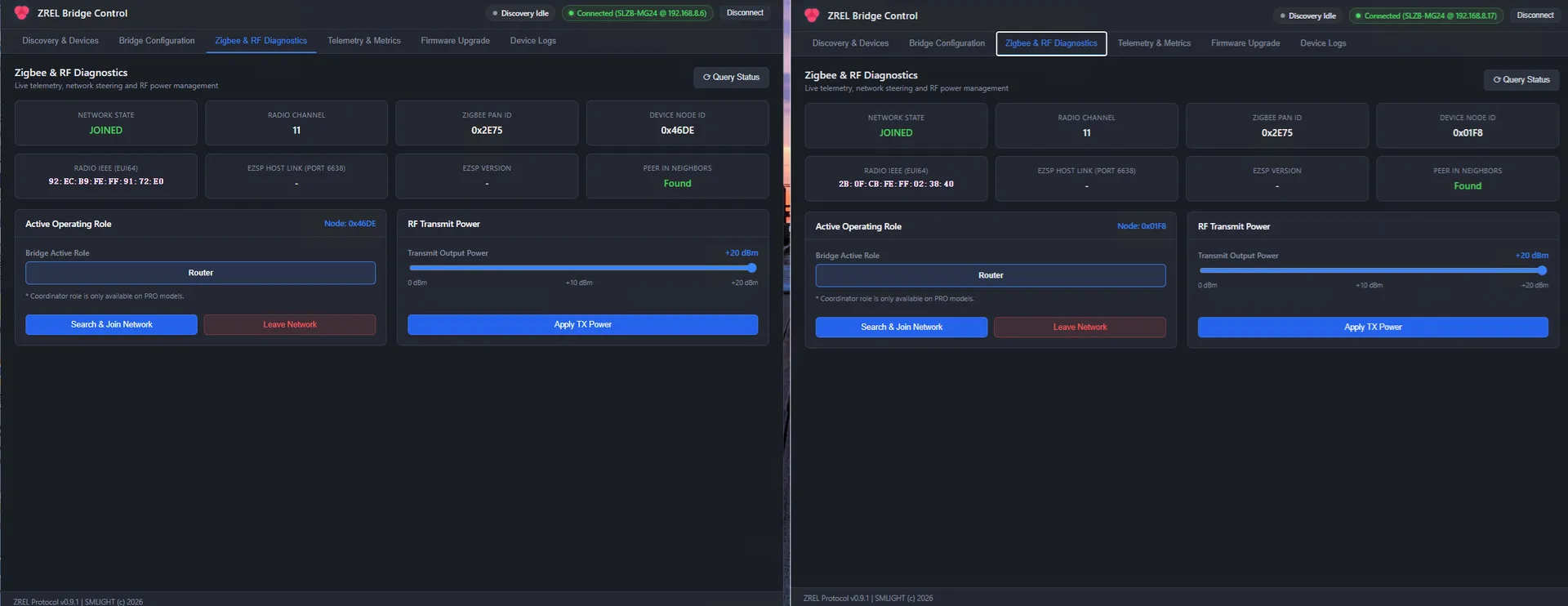
Master and Remote on the same network, channel 11, PAN 0x2E75, each confirming it can see the other through the tunnel.
The highlights
- One mesh across all areas. No second network, no second pairing, no duplicated automations. Devices behind the Remote join your network like any other device.
- Faster than the USB stick you are used to. While building ZREL we measured Zigbee over Ethernet against USB on identical EFR32MG24 radios. Ethernet had lower round-trip time at every payload size, 35 % lower on average. The numbers are in Zigbee over Ethernet vs USB: Real Latency Test. ZREL goes further still: there is no serial link anywhere in the path, the radio SoC drives the W5500 Ethernet controller directly.
- Works with ZHA and Zigbee2MQTT. Both units join your network as routers, and your coordinator stays in charge.
- PoE or USB-C power. One cable for data and power, or USB-C where there is no PoE.
- Built for people who read telemetry. ZREL Config, our desktop app and command-line tool, shows network state, the peer-in-neighbours check, task profiling and tunnel counters.
- Five-minute setup. Both units appear by discovery. Set one as Master and one as Remote, press Search & Join Network on each, and pair devices as usual.
Everything else
The full mechanism, the complete latency table, the setup guide, the ZREL Config feature list, ports and hardware details are on the ZREL product page.