ZREL.
Teleport your Zigbee mesh through walls, floors and buildings.
ZREL is a Zigbee Ethernet router. You get two units that talk to each other over your Ethernet cable. Put one unit (the Master) next to your Zigbee coordinator, and the other (the Remote) wherever your Zigbee signal does not reach: the garage, the top floor, another building. The Zigbee devices there join the network you already have, with the same coordinator and the same app. No second network, no new setup.One mesh across all areas · works with ZHA and Zigbee2MQTT · PoE or USB-C power
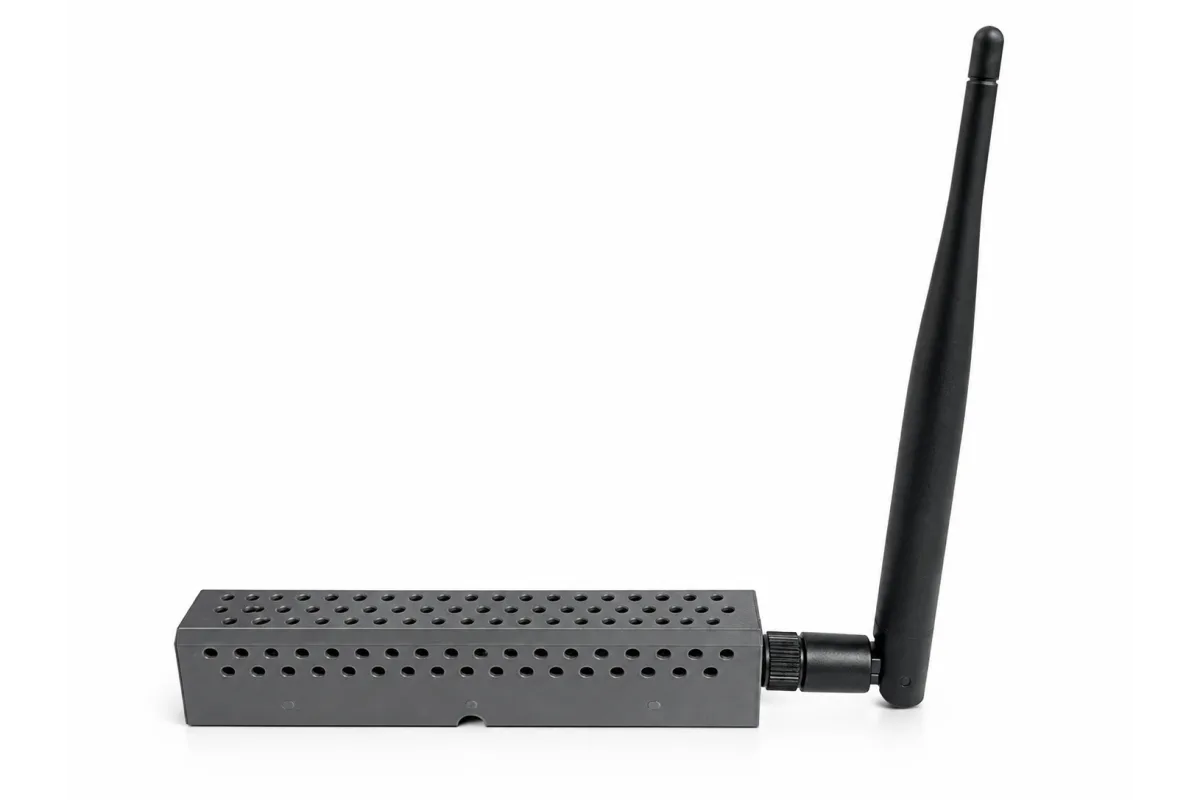
See it up close.
One network. No more walls.
ZREL is a pair of devices that carries raw Zigbee radio traffic over Ethernet. A Master unit inside your existing Zigbee coverage and a Remote unit in the place radio cannot reach form one radio cell, joined by your LAN. Your coordinator, your Zigbee2MQTT or ZHA instance and your device list stay exactly as they are. The network simply reaches further: other floors, detached buildings, remote rooms.
ZREL is the first device of its kind. Until now a Zigbee network could only be as large as its contiguous radio coverage. ZREL carries the radio traffic over the cable underneath the Zigbee layer, so the network cannot tell a cable from a radio hop.
Who it is for. Home Assistant (ZHA) and Zigbee2MQTT users and integrators who need one Zigbee network across concrete floors, detached buildings or long distances, and who already have Ethernet there, ideally with PoE.
How it works. Two radios, one cable.
ZREL is one device with two roles. You need one of each.
- Master lives inside your existing Zigbee coverage. It joins your network as an ordinary Zigbee router, and your coordinator talks to it over the air the way it talks to any router.
- Remote lives wherever coverage is missing. It joins the same network as a router too, and the end devices around it link to it over the air.
Between them runs the link: a TCP connection across your LAN on port 6600 that carries the raw radio traffic, the data Zigbee itself is built on, in a lightweight checksummed format. Whatever the Remote’s radio receives is packed up, sent down the cable and transmitted by the Master’s radio. Traffic around the Master travels the other way. The two radio cells behave as one. A door sensor behind two concrete walls shows up in your network as if it were in the room with the coordinator, because the hop in between is a cable, not a chain of routers.
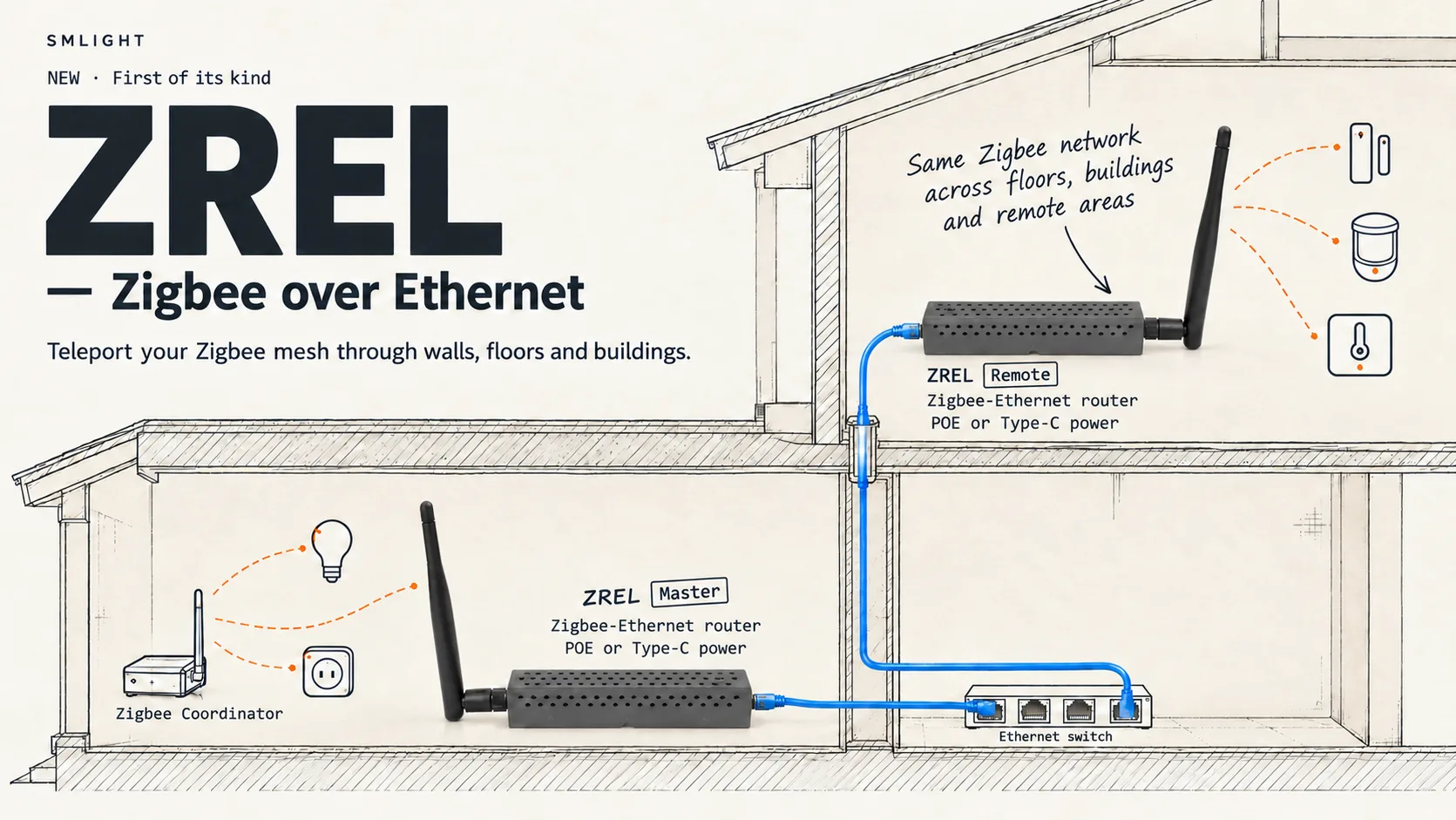
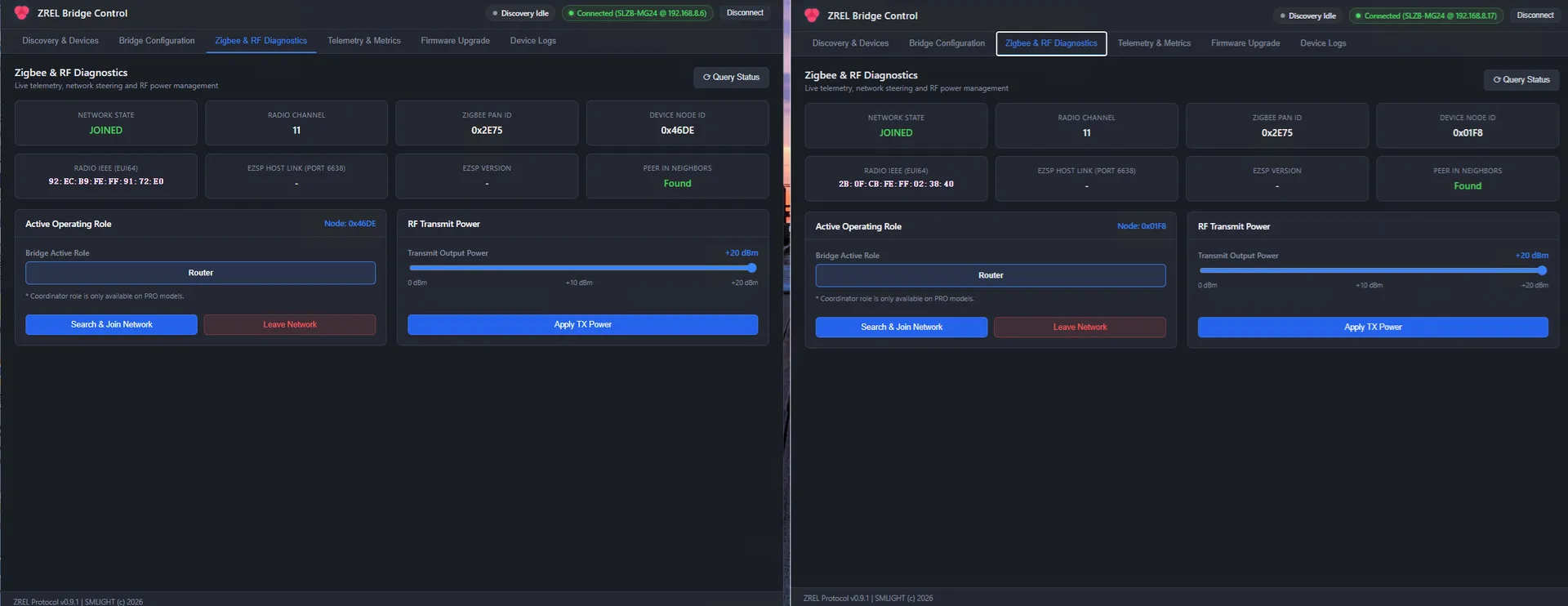
The coordinator sees two routers. It does not know, and does not need to know, that the link between them is Ethernet. Master and Remote see each other as neighbours: ZREL Config reports Peer in Neighbors: Found once the two units have exchanged link status through the tunnel.
What stays the same: one PAN ID, one channel, one network key, one coordinator, one Zigbee2MQTT or ZHA instance, one device list. You pair devices near the Remote exactly as you pair devices near the coordinator.
Why nothing you have tried does this.
| What people try | What actually happens | What ZREL does instead |
|---|---|---|
| Chain routers across the gap | Every hop costs link quality. Concrete, distance and metal break the chain, and one weak hop stalls the whole far side. | The gap is one Ethernet hop with zero radio loss. |
| A second coordinator in the far building | A second network: second PAN, second pairing process, duplicated automations, two network maps to debug. | One network, one coordinator, one list of devices. |
| Move the coordinator onto Ethernet or PoE | Good for placing the coordinator, but the mesh around it still has to be contiguous radio coverage. | Moves the radio cell, not the coordinator. |
| Relay the mesh over IP | Zigbee has no notion of a wired link. Routers relay only over the radio, and the network has no idea what a LAN is. | Carries the radio traffic itself over the cable, underneath the Zigbee layer, so the mesh never notices it. |
Both units are routers.
Master and Remote both join the network you already run, as ordinary Zigbee routers. Press Search & Join Network in ZREL Config while your coordinator permits joining, and each unit joins. Works with ZHA and Zigbee2MQTT, and your coordinator hardware does not change: it keeps forming the network and pairing devices, and ZREL only carries the radio traffic further.
Measured first. Built second.
Before committing to a wired link we had to settle one question: is a wire a fast enough radio link? While ZREL was in development we published Zigbee over Ethernet vs USB: Real Latency Test. It measured host-to-radio round-trip time for EZSP requests on two coordinators with the same EFR32MG24 radio and the same 115200-baud radio software: one over USB (SLZB-07Mg24), one over Ethernet (SLZB-06Mg24U). Seven payload sizes, 100 round trips each.
| Payload | Ethernet (SLZB-06Mg24U) | USB (SLZB-07Mg24) | Ethernet advantage |
|---|---|---|---|
| 0 B | 5.636 ms | 15.085 ms | 62.6 % lower |
| 8 B | 6.901 ms | 15.089 ms | 54.3 % lower |
| 16 B | 7.969 ms | 16.209 ms | 50.8 % lower |
| 32 B | 10.172 ms | 17.460 ms | 41.7 % lower |
| 64 B | 14.485 ms | 20.196 ms | 28.3 % lower |
| 96 B | 18.826 ms | 23.514 ms | 19.9 % lower |
| 120 B | 22.057 ms | 25.284 ms | 12.8 % lower |
| Mean | 12.292 ms | 18.977 ms | 35.2 % lower |
Ethernet won at every payload size, and it was steadier: standard deviation stayed below 0.23 ms on Ethernet against 0.78 to 1.09 ms on USB. Those numbers were earned, not found: early Ethernet builds were slower, and optimising socket handling and removing unnecessary delays is what produced the result. That work went straight into ZREL.
That test measured our coordinators and the host-to-radio path. What it settled is the premise under ZREL: a well-implemented TCP path carries Zigbee traffic with less delay than the USB-to-serial path every USB stick depends on.
ZREL then removes the slowest link in that chain entirely. There is no serial link in the path. The EFR32 radio SoC runs the Zigbee stack and drives the WIZnet W5500 Ethernet controller directly, and the W5500 runs TCP/IP in hardware. Data goes from the radio buffer to the wire without passing through a second microcontroller or a UART. The bridge, worker and Zigbee tasks are profiled separately, and the tunnel counters, error packets included, sit on the Telemetry tab of ZREL Config rather than in a debug build.
Set up in five minutes.
ZREL Config. Both ends on one screen.
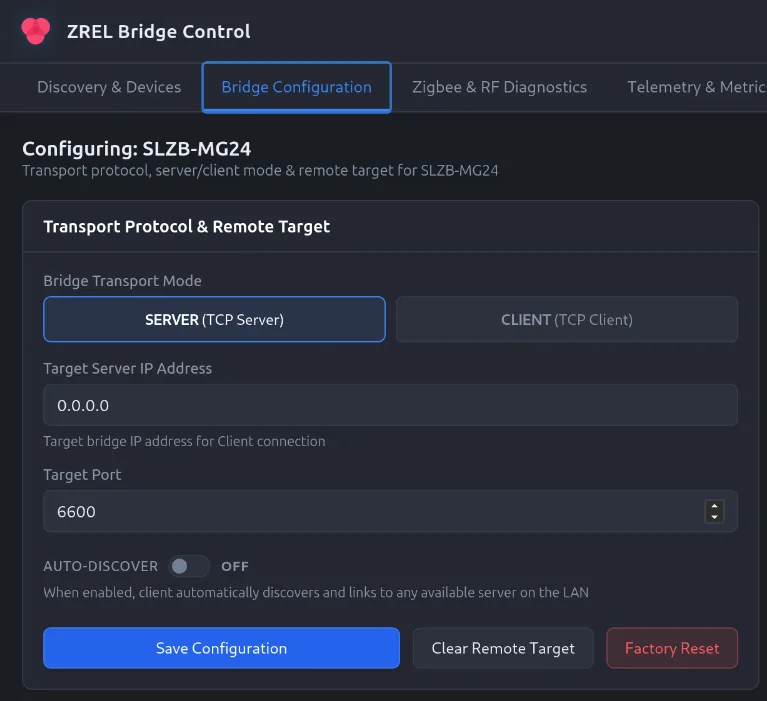
Auto-Discover finds the Master within one LAN segment. Across segments, enter the Master’s IP as the Remote’s target. Both units take their own address by DHCP or a static IP you set in ZREL Config, and each can carry a hostname so they are easy to tell apart.
ZREL Config is the desktop app and command-line tool for ZREL. It runs on Windows, macOS and Linux. The app has five tabs:
- Discovery & Devices. Every ZREL on the LAN, with model, IP, role and version. Click one to manage it.
- Bridge Configuration. Transport mode (Server for the Master, Client for the Remote), target server IP and port, Auto-Discover, hostname, DHCP or static IP with netmask, gateway and DNS, and a hardware info panel with boot reason, RAM and flash size.
- Zigbee & RF Diagnostics.Network state, radio channel, PAN ID, node ID, EUI64, EZSP host link and version, the peer-in-neighbours check, Search & Join Network and Leave Network, and transmit power up to +20 dBm.
- Telemetry & Metrics. Uptime, tunnel and EZSP stream state, connected TCP peers, task profiling for the bridge, worker and Zigbee tasks, heap and stack watermarks, and tunnel statistics: transmitted and received packets, received bytes, error packets. Auto-refresh every two seconds.
- Device Logs. A live log stream from the device.
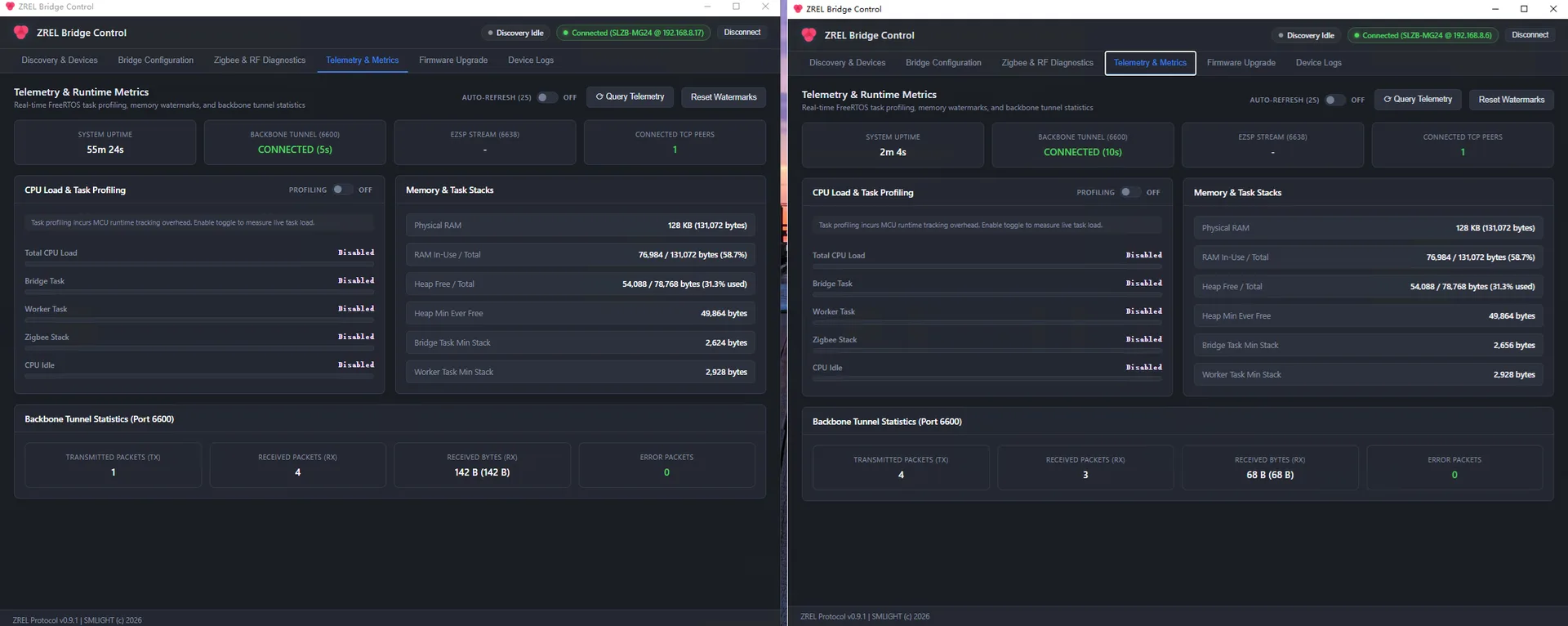
The command-line tool covers the same ground for scripting and headless hosts:
| Command | What it does |
|---|---|
discover | Find ZREL units on the LAN by UDP broadcast |
status | Live Zigbee network and bridge status |
telemetry, monitor | One-shot or continuous CPU, memory and tunnel telemetry |
get-config, set-config | Read or set the transport mode, target server and Auto-Discover |
set-power | Set RF transmit power |
steer, leave | Join a network, or leave it |
net-config, set-hostname | DHCP or static IP, and the device hostname |
logs | Stream device logs |
ping, reset-target, reset-nvram | Boot ping, clear the remote target, factory reset |
Ports and protocols.
| Port | Used for |
|---|---|
| 6600 / TCP | The link between the two units. The raw radio traffic travels here, from the Master (server) to the Remote (client) and back. |
| 6601 / TCP | Management. A compact binary API used by ZREL Config for status, configuration, telemetry and logs. |
| 6602 / UDP | Discovery. A broadcast probe to which every ZREL answers with its model, IP, role and version. |
The specifics.
| Radio SoC | Silicon Labs EFR32MG24 |
| Ethernet | WIZnet W5500 controller with hardwired TCP/IP |
| Link | Raw radio traffic over TCP · port 6600 |
| Power | Power over Ethernet or USB-C · one cable does data and power |
| Antenna | External · antenna at one end, Ethernet at the other |
| Role | Zigbee router · Master and Remote alike |
| Software | ZREL Config desktop app + CLI · Windows, macOS, Linux |
Good to know before you set it up.
- Master and Remote need an IP path between them. Auto-Discover finds the Master within one LAN segment; across segments, enter the Master’s IP as the Remote’s target.
- End devices near the Remote link to the Remote. Place its antenna for them, not for the house.
- One network, one channel. Both ends share your coordinator’s channel.
- Use a cable, not Wi-Fi. The point of ZREL is a link that does not depend on radio conditions.
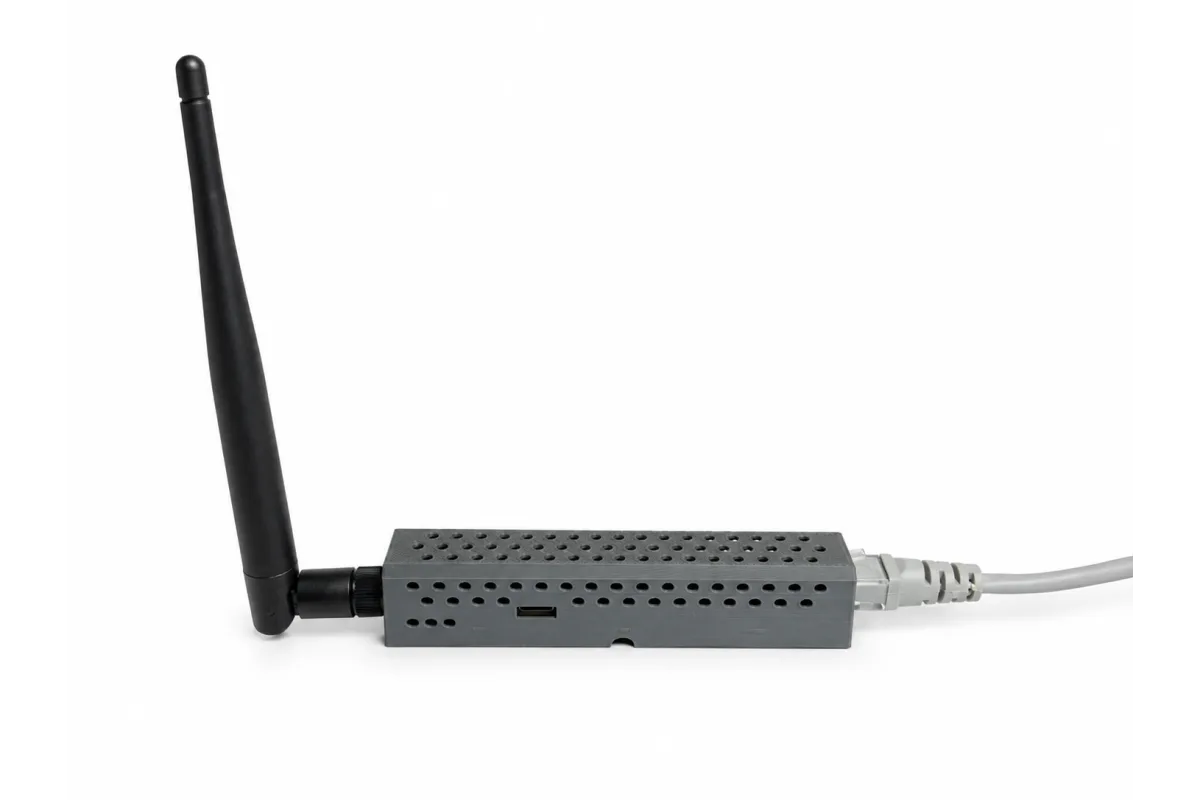
A limited first batch, straight from the bench.
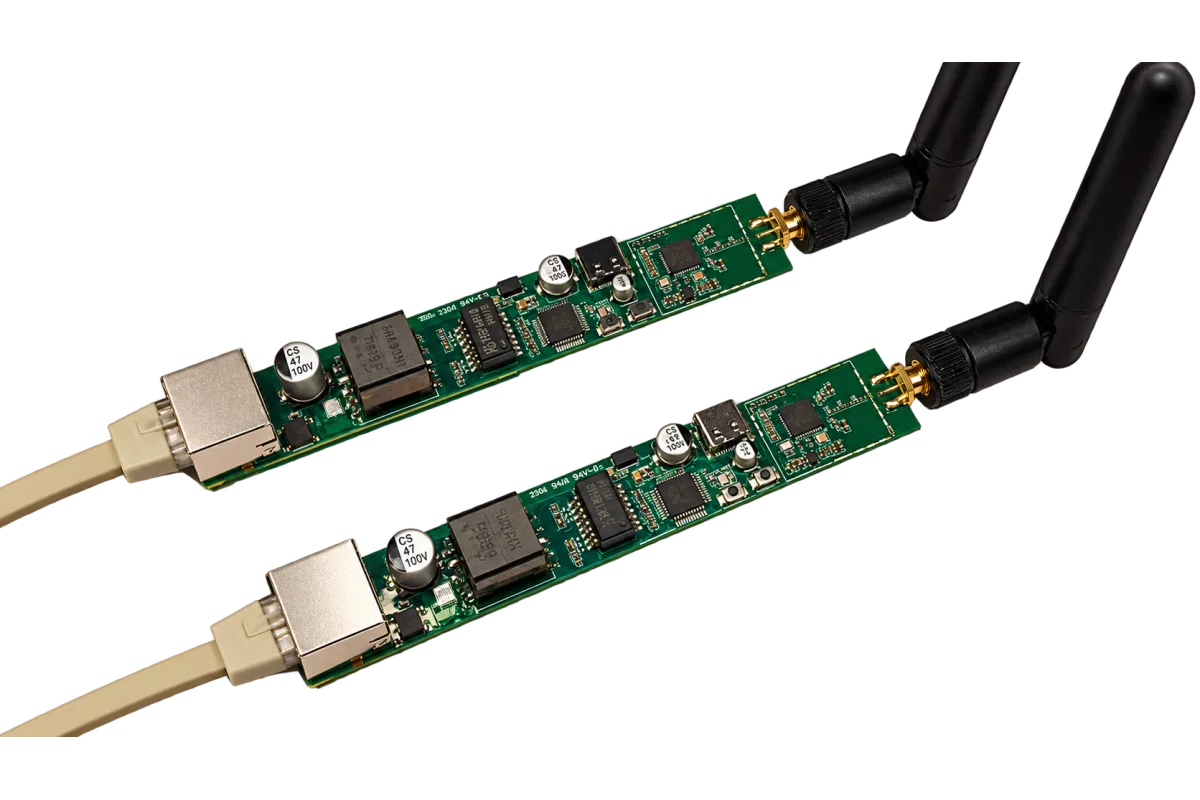
The first batch of ZREL is limited, and it ships exactly as it sits on our bench: the board and its antenna, no case. It works out of the box. Plug in Ethernet or USB-C and it shows up in ZREL Config.
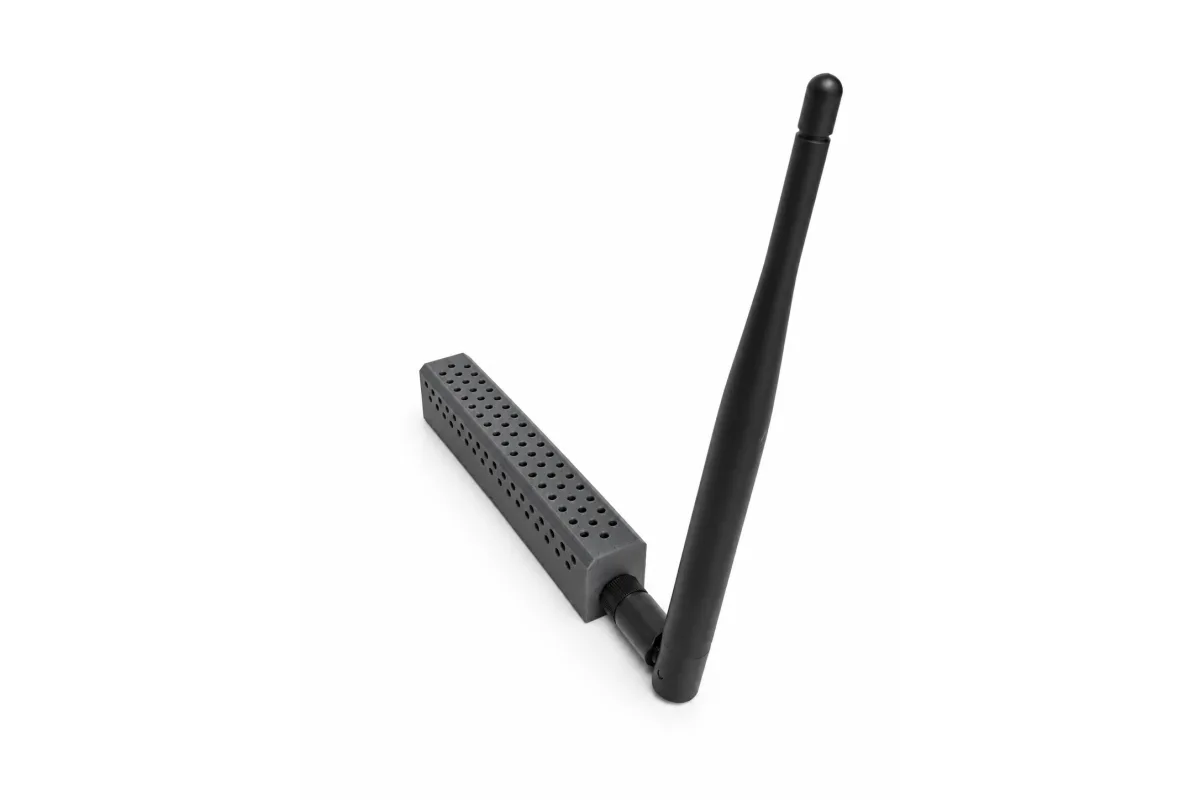
If you want it dressed, the enclosure is a 3D model you print yourself: download the 3D model (STL, 1.2 MB). Our own units wear it in the photos on this page.
Price and where to buy.
The regular retail price will be in the range of $36 to $40 per unit, enclosure included. The first batch is a promotional run: $25 per unit, board and antenna, and that price holds until the batch is sold out.
ZREL works in pairs. A working setup is two units: one Master and one Remote.
Right now ZREL is available from two places:
Local distributors will start listing ZREL soon.
Quick questions.
Where to get it.
The first batch is a promotional run at $25 per unit, available on AliExpress and smartlight.me; local distributors will list ZREL soon. You need one Master and one Remote: two units, one network. Buying for a business or in volume? Our sales team is one email away.