AC Bridge — your air conditioner, on everything
Optional firmware for the SLWF-12 that learns your air conditioner from its own remote, then puts it on Home Assistant, MQTT, Telegram, a browser and on-device schedules — with the original handset staying in sync.
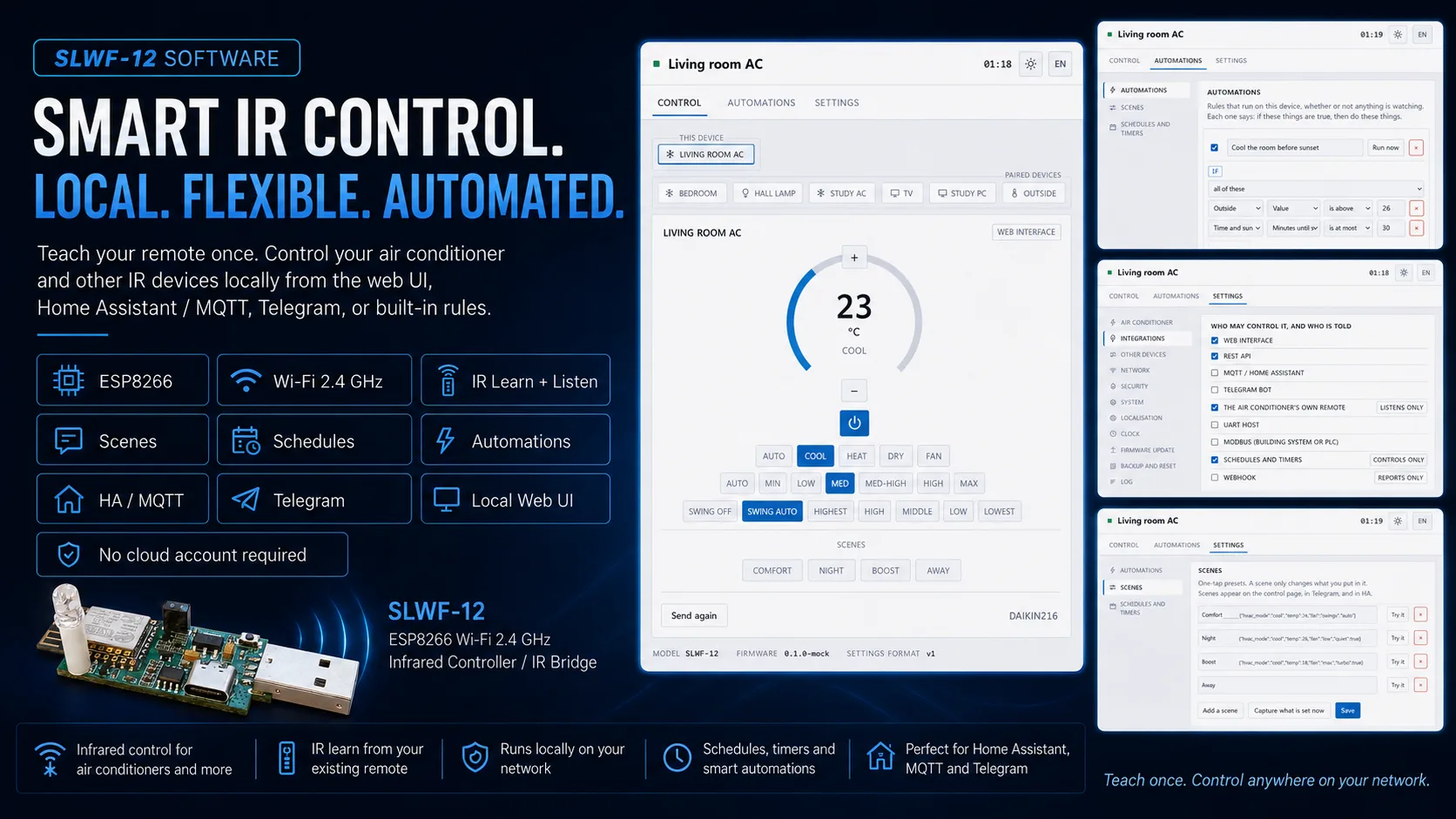
We're pleased to introduce AC Bridge — optional firmware for the SLWF-12 that turns it into a universal air-conditioner bridge. Show it your existing remote once, and the air conditioner can be worked from a phone, from Home Assistant, from Telegram, from a schedule — or from the original handset, with every one of those staying in sync.
Why you'll love it
- The major brands are already in there. Daikin, Mitsubishi, Gree, Panasonic, Samsung, LG, Toshiba and thirty-odd more — 62 protocol variants the bridge composes commands from, so most units work as soon as it recognises the make.
- It does not need Home Assistant. Telegram, its own web page, or schedules, scenes and automations that run on the device itself — no hub, no broker, nothing else to install, and they keep working when the network does not.
- It watches your own remote. Somebody picks up the handset; the bridge hears the command, decodes it and updates every other client. Nothing goes stale.
- Anything unusual can still be taught. Protocol not recognised? It sweeps every one it knows, asking whether the unit reacted. Still nothing? It records raw codes straight from your handset.
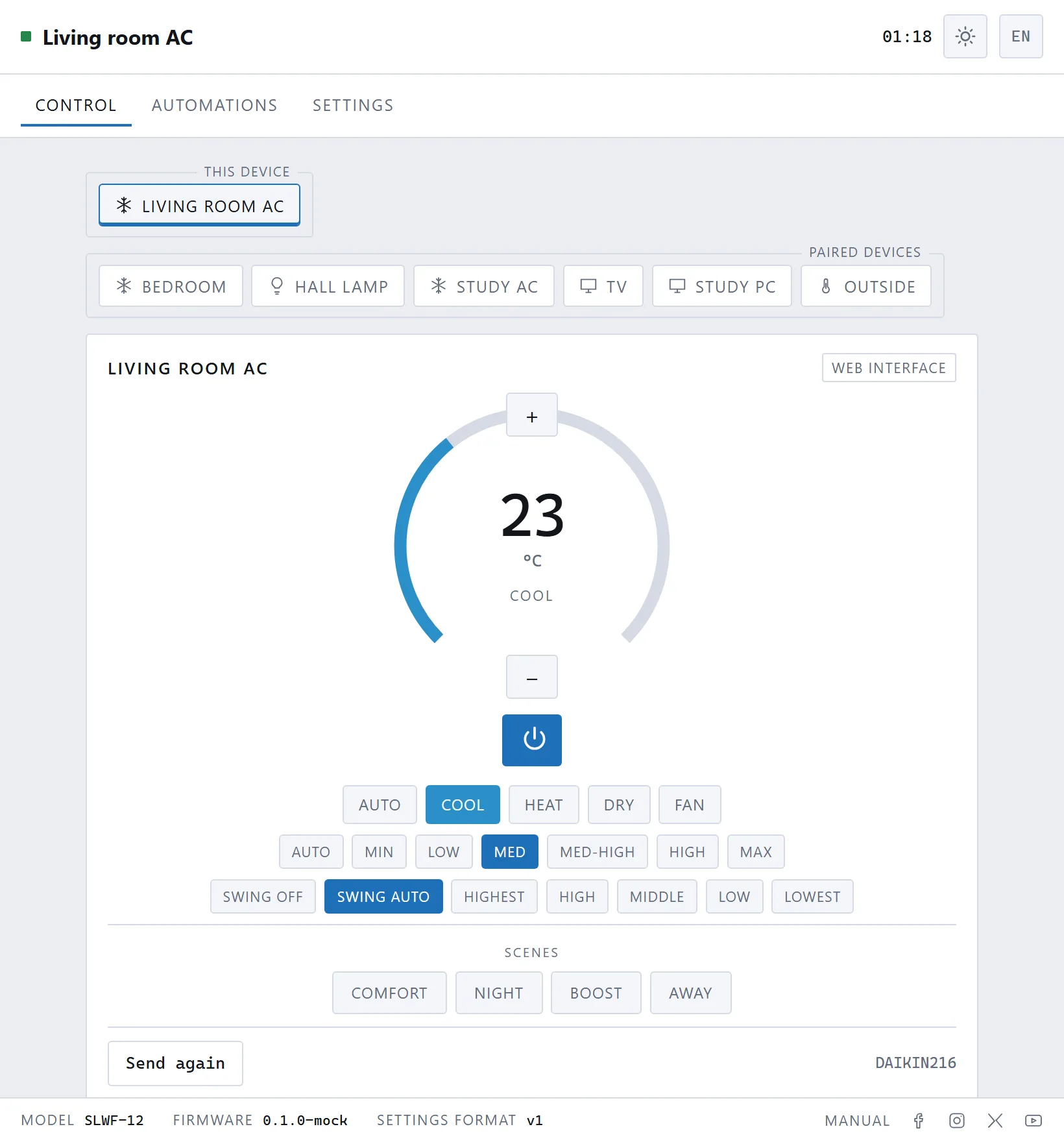
Home Assistant, without the YAML
Point it at your MQTT broker and leave discovery on. The thermostat appears by itself as a climate entity, alongside a signal-strength sensor, runtime counters, a scene selector and a button that retransmits the current state. There is no configuration file to hand-write.
Telegram takes a bot token; the first person to send /start becomes the owner and the door closes behind them. Web UI, REST, MQTT, Telegram, UART, schedules and the hardware button all pass through one internal command bus — and each can be switched off individually.
More than an on/off switch
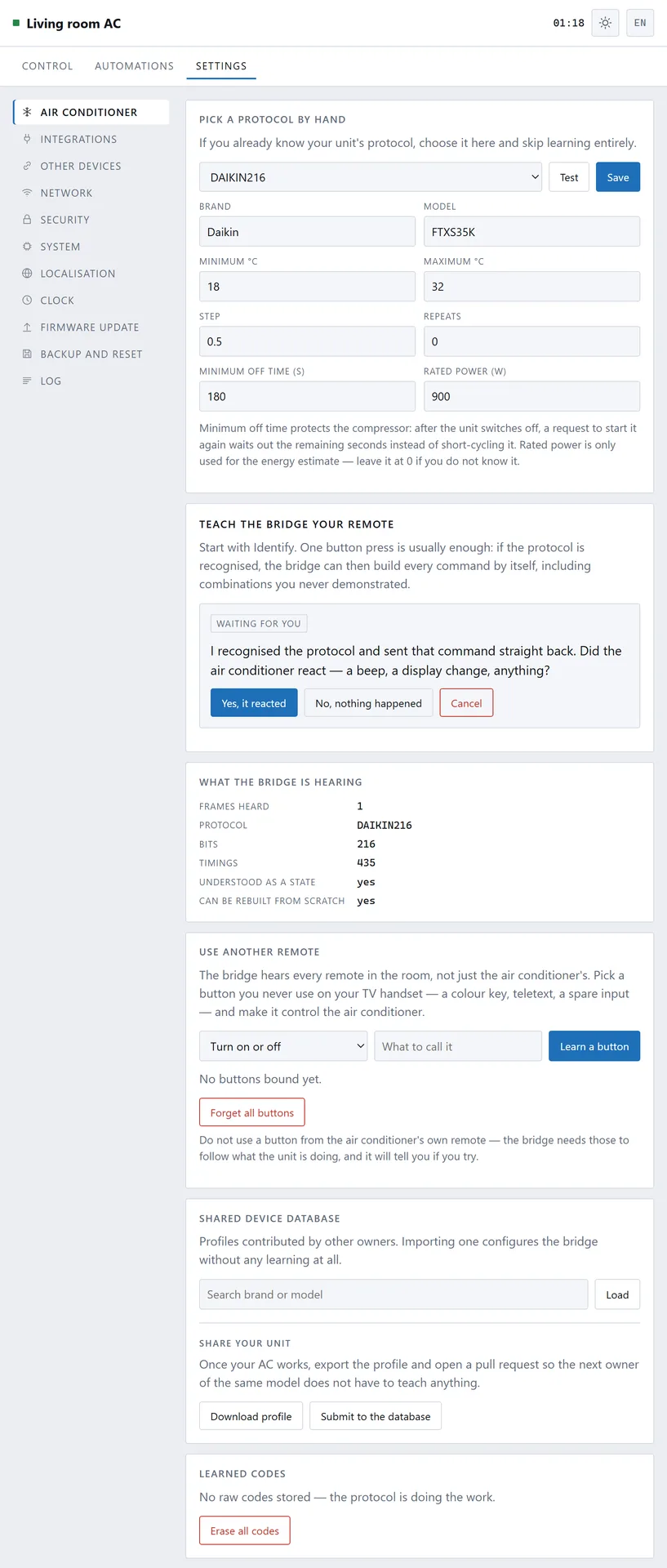
Scenes are named one-tap presets, partial or complete, exposed to the web card, to Telegram buttons and to a Home Assistant dropdown. Automations are visual IF/THEN rules across every paired device, with hold times, wait steps, else branches and a runaway guard. Sunrise and sunset are computed on the device from a latitude and longitude — no network call, and they agree with NOAA's own algorithm to within a minute.
It also counts its own running time, publishing runtime, starts and an energy estimate as Home Assistant sensors.
Other devices can be paired too — other SLWF units, WLED controllers, ESPHome devices, Wake-on-LAN targets and JSON sensors — all described by a data file rather than by code.
Off by default
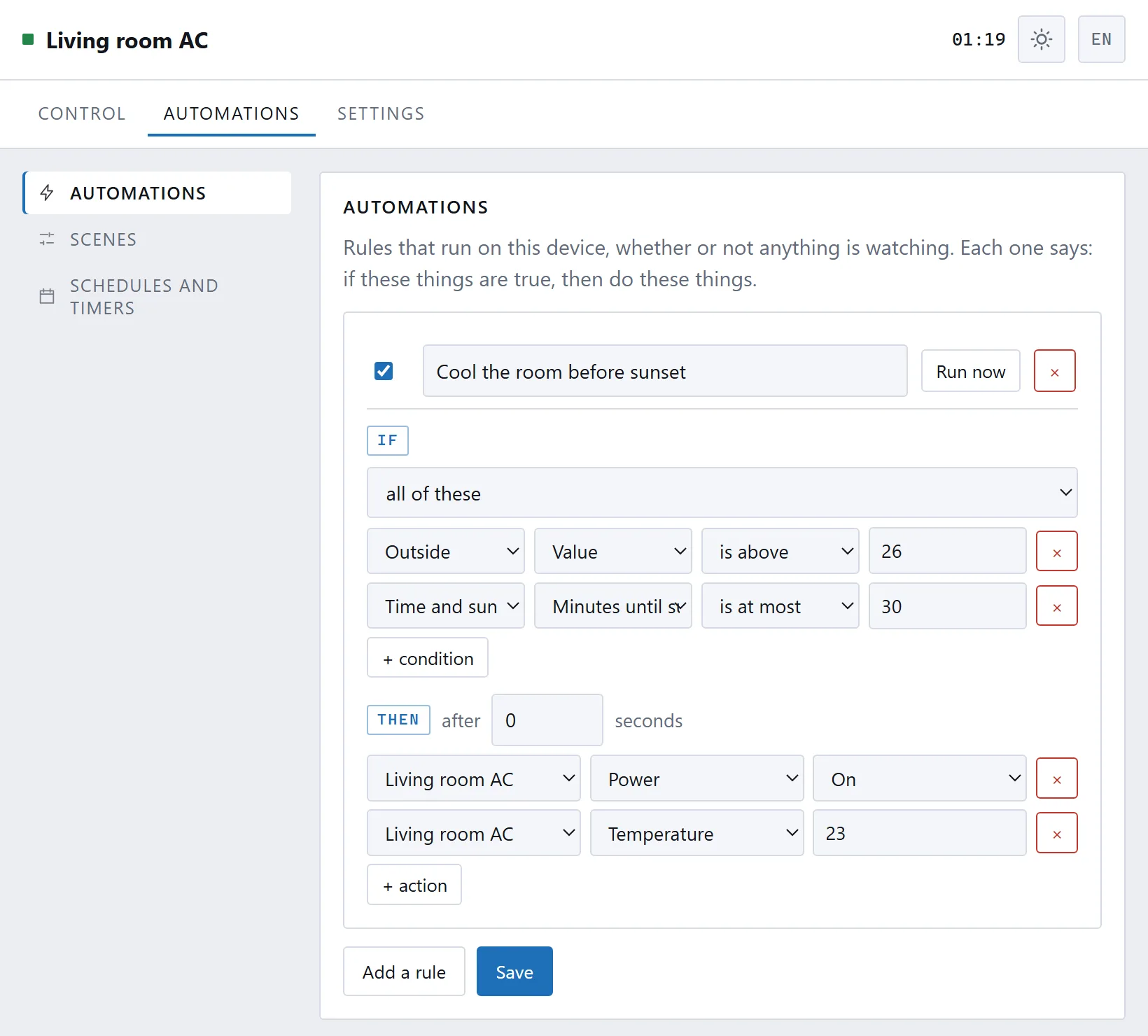
Every integration ships switched off. The device opens no outbound connection until somebody presses a button that says it will. The interface is multilingual, and light and dark themes follow the system.
Where the protocol knowledge comes from
For the models it recognises, the bridge does not invent protocols — it stands on IRremoteESP8266 library: 62 air-conditioner protocol variants across 38 manufacturers, from Daikin, Mitsubishi, Gree, Panasonic, Samsung, LG and Toshiba down to Airton, Rhoss and Voltas. Where a protocol is known, the bridge can build a command it has never seen rather than replay a recording, and that library deserves the credit for it.
That list is not the boundary, though. It is the fast path, not a compatibility list. If your unit's protocol is not among them, the bridge sweeps every protocol it knows and asks which one made the unit react; if none does, it records the raw codes straight from your handset, walking you through the modes and temperatures you actually use. A model nobody has ever heard of should still end up working — with less magic, because a raw profile only covers the states you recorded, but working.
Where it came from
AC Bridge began as a side project — we wanted something real to exercise the SLWF-12 with, and this is what it turned into. It runs our own air conditioners, and we are publishing it in that spirit: a working starting point rather than a sealed product. Take it as a base, change what suits you, improve it, or build something else entirely on top of it.
Getting it
AC Bridge is optional. Which firmware an SLWF-12 runs is your choice — this one, an ESPHome build of your own, or anything else written for the ESP8266; none of them arrive pre-installed, you flash whichever you want. Download it from GitHub and put it on the board with whatever flashing tool you prefer: the SLWF-12 carries its USB/UART converter on board, so a USB cable is all the hardware you need. On first boot it raises a setup access point, and after that it lives at slwf12-<id>.local.
The AC Bridge page has the full picture — screenshots, the REST API, MQTT topics and what it runs on. Need the hardware? The SLWF-12 is shipping now.